For HR Tech and benefits platforms managing multiple disparate systems, the integration overhead is a significant constraint on scalability and agility. Engineering teams are often tied up maintaining bespoke connections to various vendors, resulting in increased technical debt, delayed product releases, and lost opportunities due to inefficient workflows.
Unified APIs address these challenges by offering a single, standardized interface to manage diverse integrations. This approach reduces the complexity of handling multiple vendor-specific APIs, accelerates deployment cycles, and ensures data integrity across systems.
This article will guide you through the features and functionalities of Unified APIs, explain how they work, compare them to other integration methodologies, and explore the real-world benefits they bring to your product integrations.
Quick Glance
- A unified API is a single abstraction layer that connects multiple platforms through one standardized interface, removing the need to build and maintain separate custom integrations for each vendor.
- It helps HR Tech, payroll, and benefits platforms reduce engineering effort, standardize data models, and speed up integration timelines while lowering maintenance overhead.
- Unified APIs aggregate vendor APIs into a common data model, handle authentication centrally, normalize fields across systems, and support real-time sync and webhook notifications for consistent and reliable data flow.
- Compared to custom integrations, embedded iPaaS, and workflow tools, unified APIs offer broader integration coverage, deeper functionality, faster deployment, and stronger data consistency across platforms.
- Teams adopting unified APIs report shorter onboarding cycles, faster time-to-market, reduced technical debt, and major savings in integration, maintenance, and development costs.
What Is a Unified API and Why It Matters
A Unified API is an abstraction layer that connects multiple platforms and delivers standardized data through a single endpoint. It is quick and eliminates the need to build custom integration for each platform.
Many software companies turn to Unified APIs as a quick solution for scalable product integrations. For some, this means reducing the resource drain caused by in-house or custom integrations. For others, it addresses security concerns with manual data transfers or provides a robust system that can handle operational growth.
While Unified APIs certainly solve these pain-points, their benefits go well beyond just simplifying integrations. They extend all the way down to improving employee experience, customer retention, and even better brand advocacy.
Core Benefits of Using a Unified API
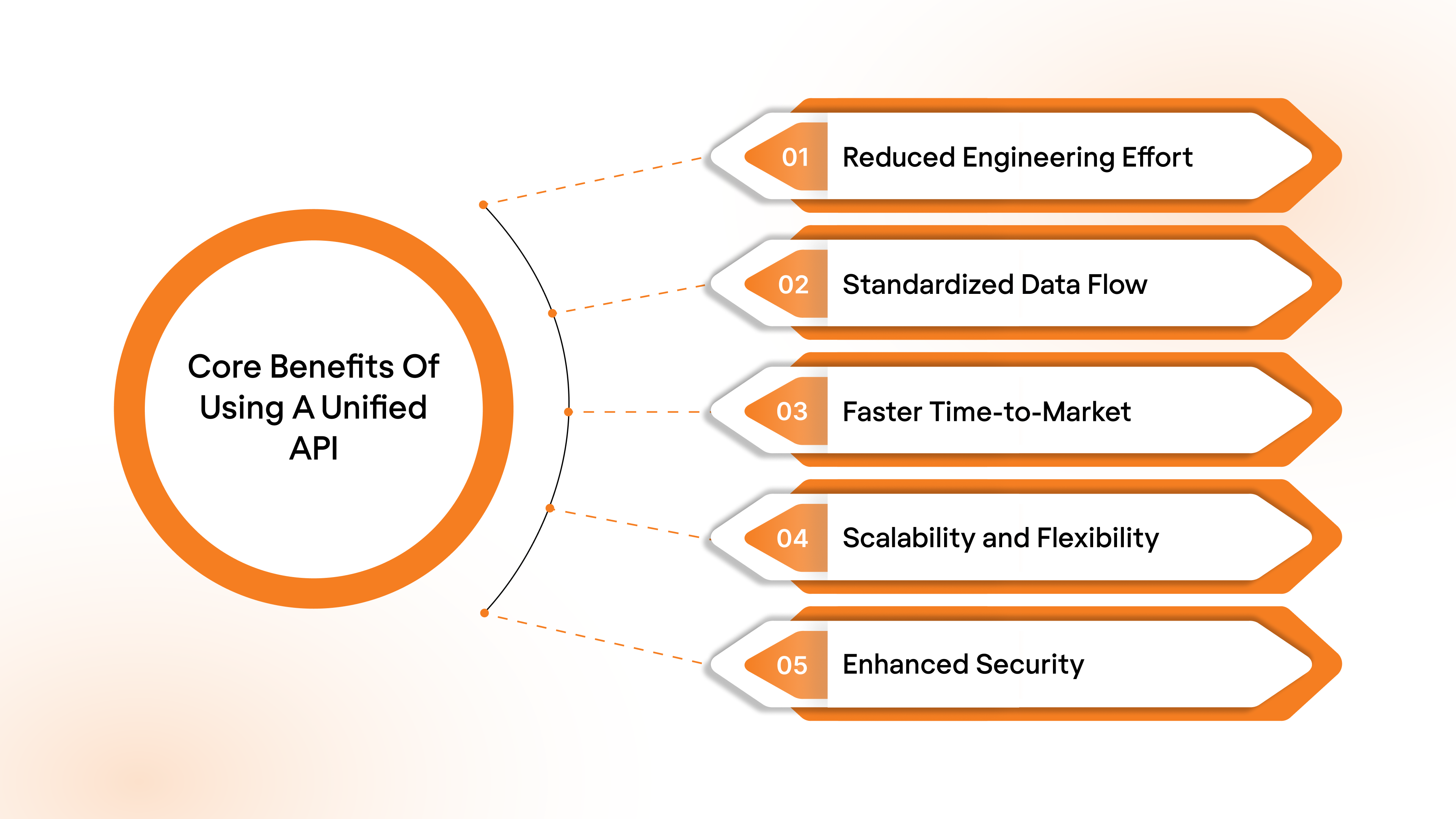
Leveraging a unified API brings a host of strategic advantages. Let’s break down how unified APIs help companies save time, cut costs, and scale integrations far faster than traditional point-to-point connections.
- Reduced Engineering Effort: A Unified API abstracts away the difficulty of managing multiple integrations. Instead of building and maintaining custom connections for each platform, you only need to integrate with a single interface.
- Standardized Data Flow: One of the core benefits of a Unified API is data normalization. It converts different data models from various platforms into a consistent format, making it easier to manage and analyze data across systems.
- Faster Time-to-Market: Traditional integrations can take months to complete due to the need to build custom connectors for each third-party platform. With a Unified API, the process is streamlined, and you can integrate multiple platforms in days, reducing the time-to-market for new features or integrations.
- Scalability and Flexibility: As your business grows, a Unified API allows you to scale integrations without significant effort. You can easily add new platforms or services without worrying about reworking your entire integration architecture.
- Enhanced Security and Compliance: Unified APIs handle authentication and authorization in a standardized way, reducing the security risks associated with managing multiple integrations. Compliance with standards such as SOC 2, HIPAA, and GDPR is easier to maintain because security protocols are managed centrally.
Suggested Read: Understanding the Role of APIs in Employee Benefits Administration
How Unified APIs Work: A Detailed Breakdown
Unified APIs are designed to offer a single, consistent interface for integrating and accessing data from various third-party platforms.
API Aggregation
Unified APIs turn objects and fields from various APIs in a given category into a common model for quick and easier integration.
Say, for instance, your product needs to retrieve employee data from BambooHR for one customer and ADP for another. Each of these platforms operates differently when it comes to authentication, rate limiting, and pagination frameworks.
Unified APIs streamline these differences, providing a consistent point of access across platforms like HRIS. This reduces complexity and offers a standardized way to interact with varying systems.
Authentication & Authorization
Integrating once with the Unified API allows access to hundreds of pre-built integrations without requiring further authentication for each platform.
Picture this: you’re building a product that needs to integrate with CRMs like Salesforce, HubSpot, and Zoho. Normally, you’d have to manage each platform’s unique authentication—handling API keys, OAuth tokens, and ensuring all the permissions are set correctly.
With a unified API, this complexity is abstracted away.
The API uses a standardized system to manage authentication across all platforms that it supports integrations with.
Regardless of the platform you need to integrate with, you only need to authenticate once with the Unified API. It handles all the platform-specific requirements behind the scenes, so you don’t have to work your way through multiple security protocols.
Data Normalization
Different platforms often label similar data in ways specific to the platform, making it hard to integrate, especially when done at scale with multiple platforms.
A unified API simplifies this process through data normalization; here’s how:
For example, your product might need to pull employee data from Workday and BambooHR. Workday might call a user's department "Dept_ID", while BambooHR labels it "Department_Code".
Rather than requiring manual mapping of these fields, a Unified API automatically normalizes them, converting both into a consistent field like "Department".
Your application now works with a unified structure, regardless of the data source, removing inconsistencies and making it easier for developers to work with clean, structured data.
Real-Time Data Sync & Notifications
On top of normalizing data for developers, Unified APIs automatically update and sync the data for you.
Many Unified APIs feature this functionality, but here’s a high-level overview of how it works:
- The API sends a request to the platform you want to integrate with, sync frequencies are decided based on the developers’ requirements, and the data sync status (integration status) can be accessed within the Unified API’s dashboard.
- And whenever new sets of data are created or modified, the API can be configured to notify your application of changes and updates through a feature called Webhooks.
- You may access the newly updated data via the Unified API or have it written back to your application by requesting the same from your vendor.
Error Handling
Unified APIs, such as Bindbee, provide real-time visibility into API requests and response data, as well as uniform error codes for troubleshooting and resolution.
Unified APIs enable the retrieval of large data sets in a structured and manageable manner, facilitating fast and robust integrations.
Best Practices for Implementing Unified APIs
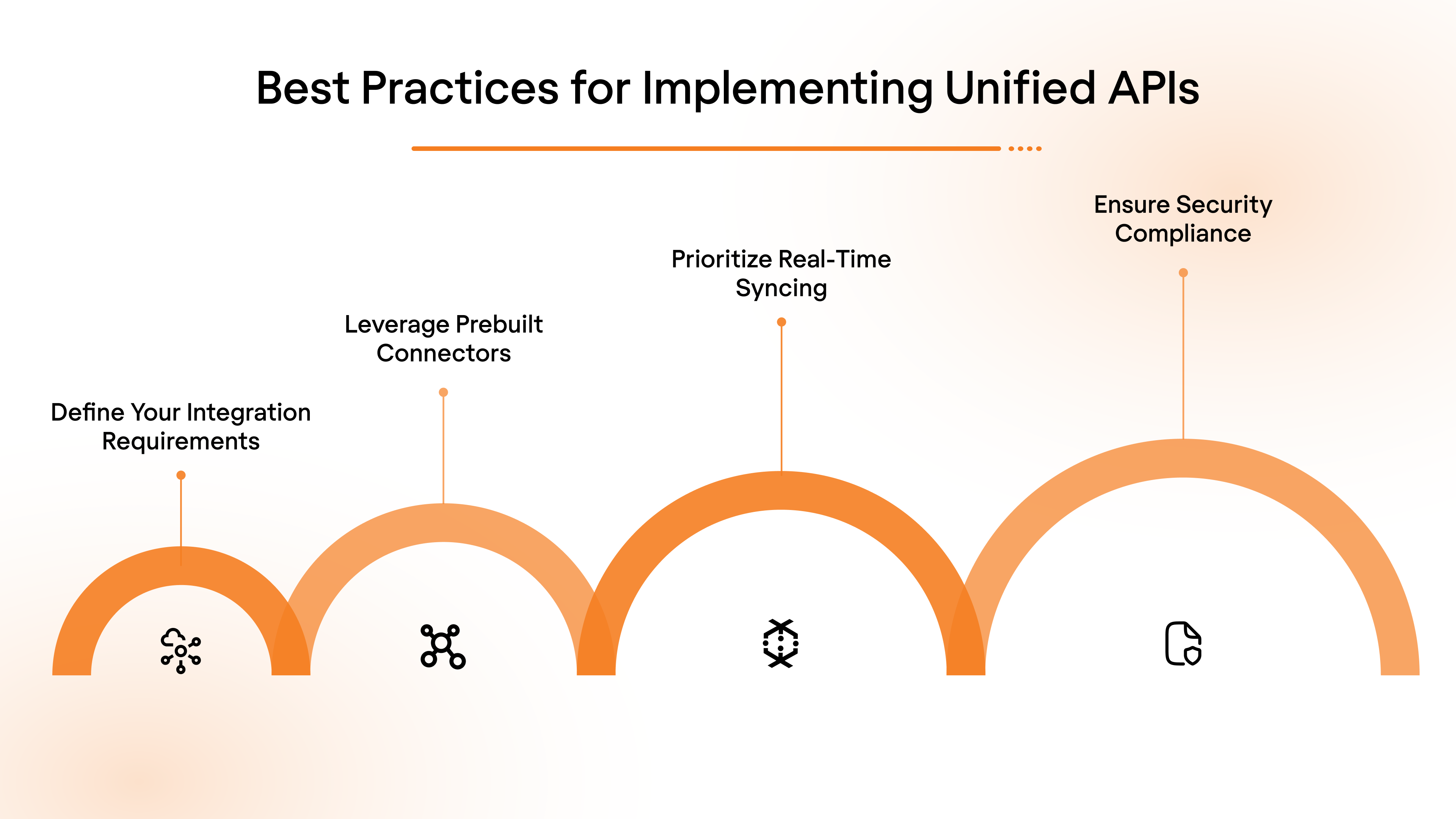
Implementing a Unified API requires thoughtful planning and best practices to ensure smooth integrations with third-party services. Here are the key steps to consider:
- Define Your Integration Requirements: Before selecting a Unified API, understand your needs: what platforms do you need to integrate with? Does the API support all the integrations you require, including legacy systems?
- Leverage Prebuilt Connectors: Many Unified APIs come with prebuilt connectors to popular platforms like HRIS and payroll tools. Use these to speed up deployment and reduce the need for custom development.
- Prioritize Real-Time Syncing: Choose an API that supports real-time data syncing and webhooks. This will ensure that your systems are always up-to-date without manual intervention.
- Ensure Security Compliance: Given the sensitive nature of HR and payroll data, make sure the Unified API follows industry-standard security protocols (SOC 2, GDPR, HIPAA compliance).
Unified API vs. Other Integration Methodologies
Unified APIs aren’t the only go-to for product integrations. Here's a closer look at some popular alternatives and how they compare:
Examples of Unified API
Unified API emerged as a distinct category in early 2018, and since then has been changing how software companies approach integrations as a whole.
Not only are the existing alternatives not practical for the operational scale of modern-day businesses, but also the intuitive, developer-friendly approach to data connectivity that comes with Unified APIs is also second to none.
That said, here are a few real-world examples of Unified APIs powering product integrations:
- Papershift, a workforce management platform that faced significant challenges with manual scheduling and employee data synchronization across multiple systems. After integrating with a Unified HRIS and Payroll API, Papershift automated employee time tracking and payroll data synchronization. As a result, the time required to deploy integrations was reduced from approximately 90 days to under 24 hours, and customer onboarding time was cut by 85%. Additionally, Papershift saved more than $200,000 annually in development resources.
- Budgie Health, an insurtech company, optimized its employee insurance services by integrating with an HRIS & Payroll API. This move enabled them to sync employee demographics, benefits, and payroll data across 30 platforms in just 3 days. The results reported were improved customer satisfaction, reduced integration management overhead by 90%, and quarterly savings of over $100,000 in development costs.
How to Migrate from Custom Connectors to a Unified API Layer
Migrating from custom connectors to a unified API can be a transformative process that streamlines your integration management and reduces technical debt. Here’s what you need to know:
- Assess Current Integrations: Take inventory of the systems you currently use (e.g., Salesforce, MuleSoft) and map out the data flows. This will help you understand the complexity of your existing integrations.
- Choose a Unified API Provider: Evaluate unified API platforms based on their support for your existing platforms.
- Plan the Migration: Migrate in phases. Start with non-critical integrations, and gradually move to core systems like Salesforce or Paycor. Test the integrations thoroughly during each phase.
- Quantify Maintenance Savings: Calculate how much time and money you’ll save by reducing reliance on custom connectors. For example, a Unified API may cut maintenance overhead by 50%, especially for large, distributed systems.
Unified API in Action for HR & Benefits SaaS
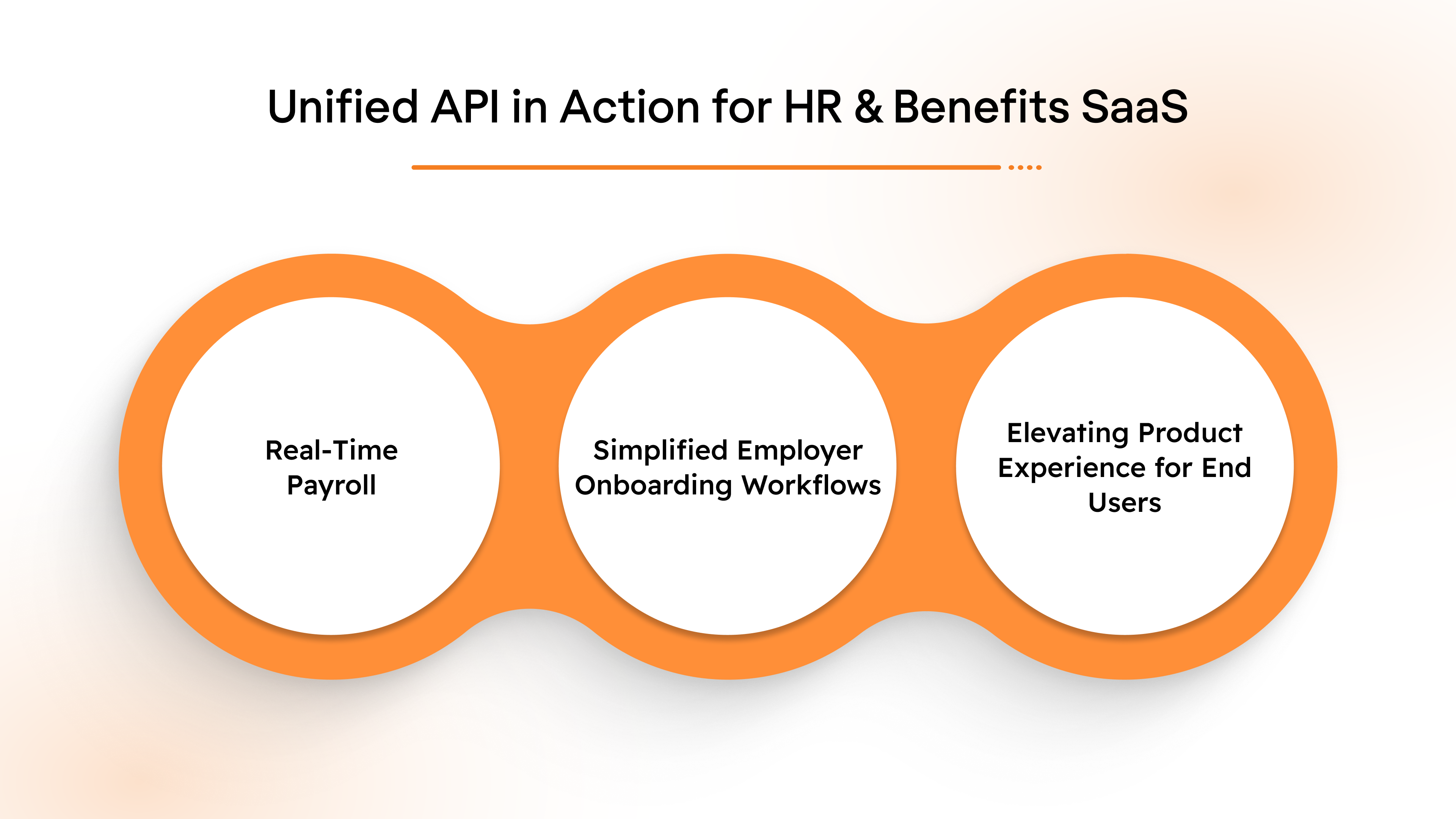
Unified APIs offer measurable benefits for HR Tech, payroll, and benefits platforms, directly impacting productivity, efficiency, and user experience. Let’s look at key use cases where unified APIs streamline processes and improve operations.
1. Real‑Time Payroll, Benefits, and Retirement Sync
Ensuring that employee data, payroll deductions, and retirement contributions are kept in sync across multiple systems is a critical task. Without seamless integration, the risk of data discrepancies and manual errors increases, leading to delays in processing and compliance issues. A unified API offers a solution by ensuring real-time synchronization of all these systems.
With a unified API, data flows seamlessly from HR systems to payroll platforms and retirement plan administrators. Employee records, deductions, and contribution histories are automatically updated and shared across all connected systems, eliminating the need for manual data entry and the errors that often come with it.
2. Simplified Employer Onboarding Workflows
Onboarding new employers into an HR Tech or benefits platform can be a tedious and complex process, often requiring multiple manual steps such as file uploads, API key exchanges, and system configurations.
A unified API simplifies this process by offering plug-and-play integration with vendor systems. Employers can onboard to the platform with minimal manual intervention, automatically linking their payroll, benefits, and retirement systems without having to handle the intricacies of each system's specific setup.
3. Elevating Product Experience for End Users
Customers expect integrations to be seamless, without having to juggle multiple tools or interfaces. A unified API ensures that customers don’t have to navigate through a patchwork of disconnected systems.
With a unified API, businesses can offer a more cohesive product experience, where all integrated tools and services work together intuitively. Employees and employers can access everything from benefits enrollment to payroll management in a single platform, without the frustration of bouncing between different interfaces or systems.
These real-world gains highlight why unified APIs are not just technical tools, but business accelerators for product teams, ops, and revenue functions.
Suggested Read: Top 8 API Use Cases for Modern SaaS Team
What to Look For in a Unified API Platform
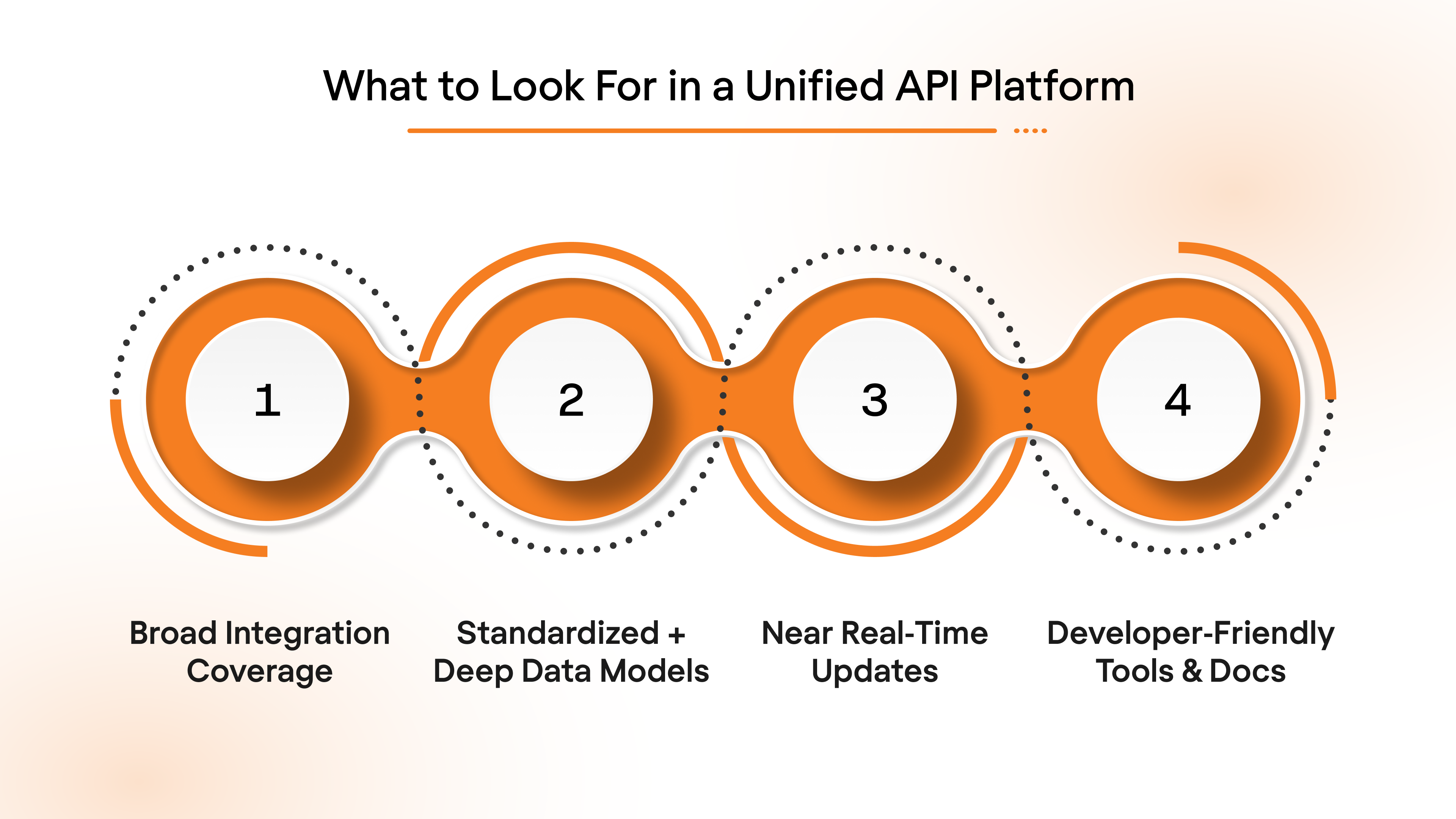
Choosing the right unified API platform can make all the difference when it comes to ensuring smooth, scalable, and efficient integrations. With so many platforms on the market, it’s important to know the key features that distinguish the best ones from the rest.
1. Broad Integration Coverage
A good unified API platform should connect with a wide range of HR, payroll, and benefits systems. More integrations give you flexibility and reduce the need for custom solutions.
2. Standardized + Deep Data Models
Ensure the platform uses standardized data models for consistent and accurate data flow across systems. This reduces errors and ensures data integrity, especially for payroll and benefits.
Ensure the platform not only uses standardized data models but also offers depth in its data model fields. This allows the platform to handle complex, nuanced use cases that might require deep customization of data flows across systems. The ability to work with detailed data models ensures that the unified API can handle a wide variety of workflows, from simple data syncs to more intricate, industry-specific requirements.
3. Real‑Time or Near Real‑Time Updates
Real-time data sync is crucial for accurate, up-to-date employee information. This minimizes discrepancies and allows teams to act on current data, improving efficiency.
4. Developer‑Friendly Tools & Docs
Look for clear documentation, SDKs, and sample code to simplify the integration process. This speeds up implementation, reducing development time and errors.
Knowing what features matter most helps you choose the right solution, which brings us to how Bindbee delivers unified API power to your product.
How Bindbee’s Unified API Makes Integration Effortless
Bindbee simplifies complex HR, payroll, and benefits integrations with a unified API that connects over 60 systems. Instead of managing multiple vendor APIs, businesses can integrate once and seamlessly connect with various platforms like Gusto, ADP, and more. This centralizes integrations, saving time and reducing errors, while allowing businesses to scale effortlessly.
One API for 60+ Platforms
Bindbee consolidates connections into a single API, eliminating the need for separate integrations. Whether working with startups or mid-market enterprises, Bindbee streamlines the process and accelerates go-to-market timelines.
Unified Data Models
Bindbee ensures consistent data across systems with standardized models, reducing errors and manual data normalization.
Real-Time Sync with Webhooks
Bindbee’s real-time sync, powered by webhooks, instantly updates all connected systems, reducing operational overhead and enhancing efficiency.
Case Study: Clever Benefits
Clever Benefits reduced integration deployment from weeks to minutes by using Bindbee's Unified API, enhancing real-time data sync and eliminating delays in payroll, HRIS, and benefits data. Read about it here.
Conclusion
Unified APIs transform how businesses approach system integrations. By consolidating multiple third-party APIs into one seamless interface, unified APIs lower costs, cut engineering load, and increase data accuracy across platforms. They also speed up the time-to-market for integrations, ensuring businesses can respond to customer needs more quickly while minimizing the risk of errors and discrepancies.
With Bindbee’s unified API, you can ensure that your HR, payroll, and benefits platforms work together effortlessly, freeing up your engineering team to focus on what matters most—innovating and enhancing the core product.
Start building with Bindbee’s unified API today and launch integrations with confidence and speed.
FAQs
1. How does a unified API benefit HR and payroll platforms?
It automates real-time data sync, cuts manual work, and ensures employee and payroll data remains accurate across systems.
2. Is a unified API better than custom point‑to‑point integrations?
Yes. Unified APIs save engineering time and provide scalable coverage across systems, eliminating the need for multiple bespoke connectors.
3. What should I look for in unified API docs?
Look for clear, consistent endpoints, examples, SDKs, and live sandbox support to ensure smooth and fast integration.
4. Can unified APIs handle compliance and security?
Unified APIs centralize controls and monitoring, helping ensure integrations are both compliant and secure, reducing operational risks.


.jpg)