Payroll integrations are no longer optional for modern HR Tech, benefits, time-tracking, and workforce platforms. Customers now expect payroll data to sync automatically across systems, without CSV uploads, manual mapping, or disruptions during every pay cycle. When payroll data isn’t integrated, downstream workflows break: deductions fail, benefits go out of sync, compliance risk increases, and support load spikes.
This is why payroll API integration has become the preferred approach. Instead of building fragile, vendor-specific connections, payroll APIs provide a standardized way to exchange payroll data, covering employee demographics, pay periods, tax withholdings, deductions, reimbursements, and payroll runs. Done right, they reduce engineering effort, improve accuracy, strengthen compliance, and ensure reliable real-time payroll intelligence.
In this guide, we will explain how payroll APIs work, what data models you need to understand, practical implementation steps, common pitfalls, and how leading platforms build scalable payroll integrations that actually perform in production.
Key Takeaways
- Payroll integration connects payroll systems with HR, benefits, time-tracking, and finance tools so employee, compensation, tax, and deduction data sync automatically.
- Payroll API integration is the modern approach, replacing CSV files and brittle one-off connectors with secure, standardized data exchange across payroll platforms.
- Organizations use payroll integration to enable HRIS → Payroll, Time & Attendance → Payroll, and Payroll → Benefits/401(k)/Finance workflows with accuracy and real-time visibility.
- The biggest challenges include fragmented vendors, inconsistent APIs, tax complexity, retro corrections, data normalization, and security requirements, which make scalable integration difficult.
- Unified payroll integration APIs solve this by providing a single abstraction layer, reducing engineering work, improving reliability, strengthening compliance, and accelerating product delivery.
What Is Payroll Integration and How Do Payroll APIs Enable It?
Payroll integration refers to the process of connecting payroll systems with HR, benefits, time tracking, finance, and compliance platforms so that employee, compensation, tax, and deduction data flows automatically between them. Instead of relying on spreadsheets, flat files, or manual uploads, integrated payroll systems ensure every platform runs on accurate, up-to-date payroll information.
This is where payroll API integration comes in. A payroll API provides a standardized, secure way to exchange payroll data programmatically. It eliminates rigid point-to-point connectors and helps organizations integrate payroll with HR systems, benefits platforms, 401(k) providers, ERPs, and workforce tools without reinventing the wheel for every vendor.
In real-world environments, payroll integration commonly enables:
- HRIS → Payroll: syncing employee demographics, compensation changes, and eligibility data
- Time & Attendance → Payroll: sending hours worked, overtime, and leave data
- Payroll → Benefits / 401(k) / Finance: pushing deductions, contributions, reimbursements, and cost allocations
When done correctly, payroll software integration reduces admin load, minimizes payroll discrepancies, supports compliance, and creates a unified payroll intelligence layer across systems.
Types of Payroll Integration Approaches
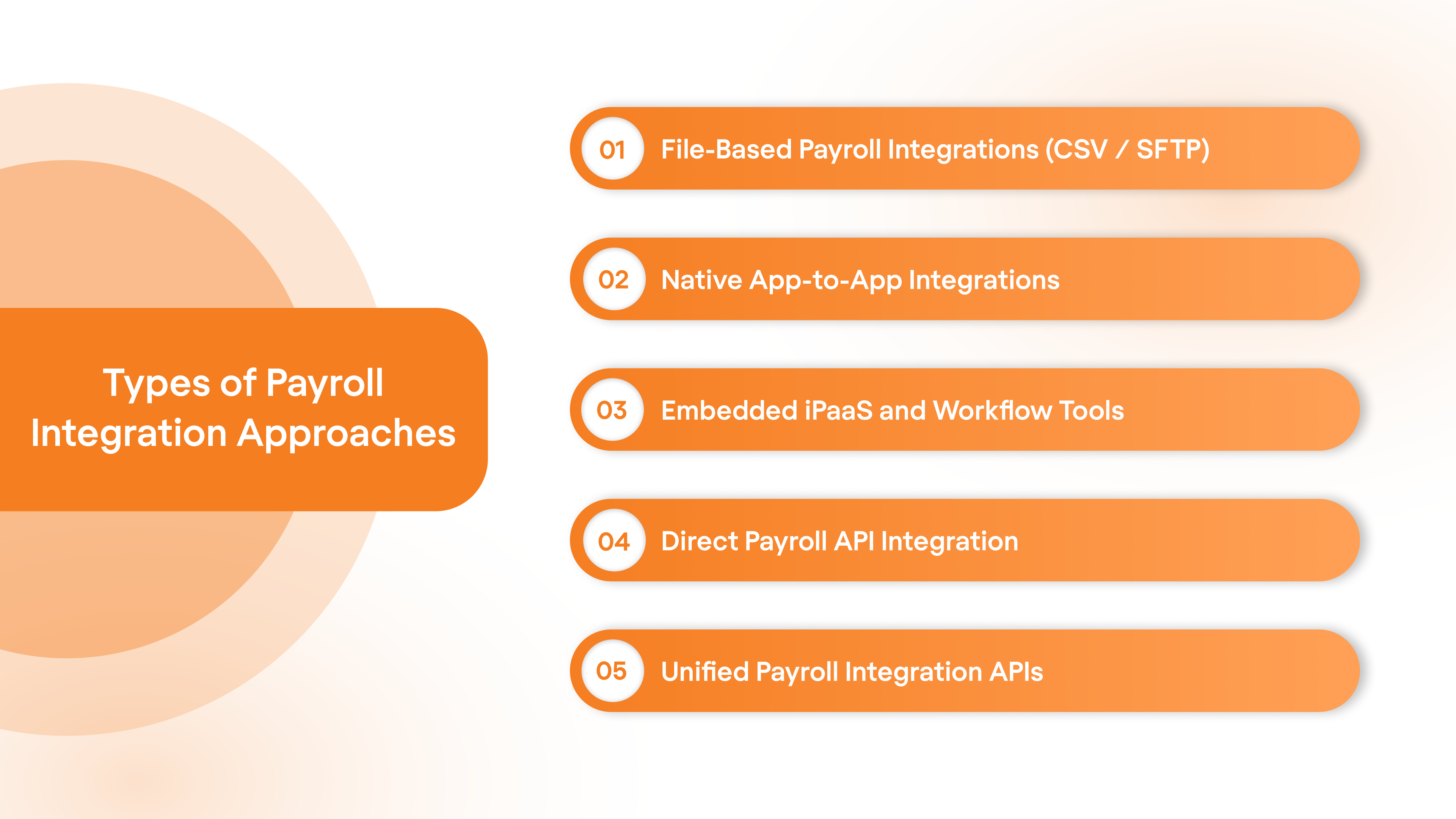
There are multiple ways organizations integrate payroll systems with HR, benefits, time, and finance platforms. Each approach comes with its own trade-offs in terms of scalability, reliability, engineering effort, security posture, and maintenance complexity. Below is a structured breakdown of the most common payroll integration approaches used today
1. File-Based Payroll Integrations (CSV / SFTP)
This is the oldest and most common payroll integration method, especially with legacy payroll providers. Data is exchanged through CSV exports, flat files, or secure SFTP transfers between systems.
Where it helps
- Works with legacy payroll systems
- Easier to implement initially
- Familiar for many HR and payroll teams
Challenges
- Highly manual or batch-driven
- Error-prone due to file formatting, field mismatches, and timing issues
- Little to no real-time visibility
- Fails silently without strong monitoring
- Security risk if mishandled
Good for compliance-driven environments with slow change cycles, but not ideal for modern, real-time payroll integration needs.
2. Native App-to-App Integrations
Some payroll platforms and HR tools build direct, vendor-specific connectors into their products. These work as plug-and-play integrations for specific partners.
Where it helps
- Fast to enable
- Good user experience
- No heavy engineering involvement
Challenges
- One-off integrations are brittle
- Every new vendor requires new engineering work
- Hard to scale beyond a small partner list
- Breaking changes when vendors update APIs
This approach works when your product only needs to support a limited, fixed number of payroll providers, but it becomes unsustainable once customer integration demands scale.
3. Embedded iPaaS and Workflow Tools
Tools like Workato, Tray, Zapier, Boomi, or MuleSoft help create workflow automations between payroll and HR systems. They are great for internal connectivity and lightweight automation.
Where it helps
- Faster than building from scratch
- Good for internal system-to-system workflows
- Useful for automations and orchestration logic
Challenges
- Not purpose-built for deep payroll integration
- Still requires heavy configuration and maintenance
- Data normalization remains your responsibility
- Not ideal for productized integrations offered to customers
Great for enterprise internal IT use cases, less ideal for SaaS products that need scalable, reliable payroll connectivity.
4. Direct Payroll API Integration
This is where your current guide fits. This approach involves integrating directly with each payroll provider’s API and building custom connectors in-house.
Where it helps
- Full control over integration behavior
- Deep functionality and customization
- Strong performance when engineered well
Challenges
- Every payroll provider has different authentication, schemas, webhooks, pagination, and rate limits
- Maintenance grows exponentially with each additional vendor
- Requires ongoing engineering ownership
- Versioning changes can break production
This approach delivers strong control but also creates a long-term integration and maintenance burden.
5. Unified Payroll Integration APIs
Unified payroll APIs provide a single abstraction layer over multiple payroll systems. Instead of integrating individually with every payroll vendor, you connect once and gain standardized access across systems.
Where it helps
- One integration supports multiple payroll platforms
- Standardized data models and authentication
- Built-in error handling, retries, monitoring, and version resilience
- Reduces engineering time, maintenance, and costs
- Enables product teams to scale integrations as a capability
In modern HR and payroll ecosystems, unified payroll APIs are becoming the preferred strategy for companies that need scalable, developer-friendly, and future-proof payroll integration.
With the integration approaches defined, the next step is understanding how payroll platforms structure data. This foundation is critical before you start architecting any payroll API integration.
Payroll API: Key Concepts
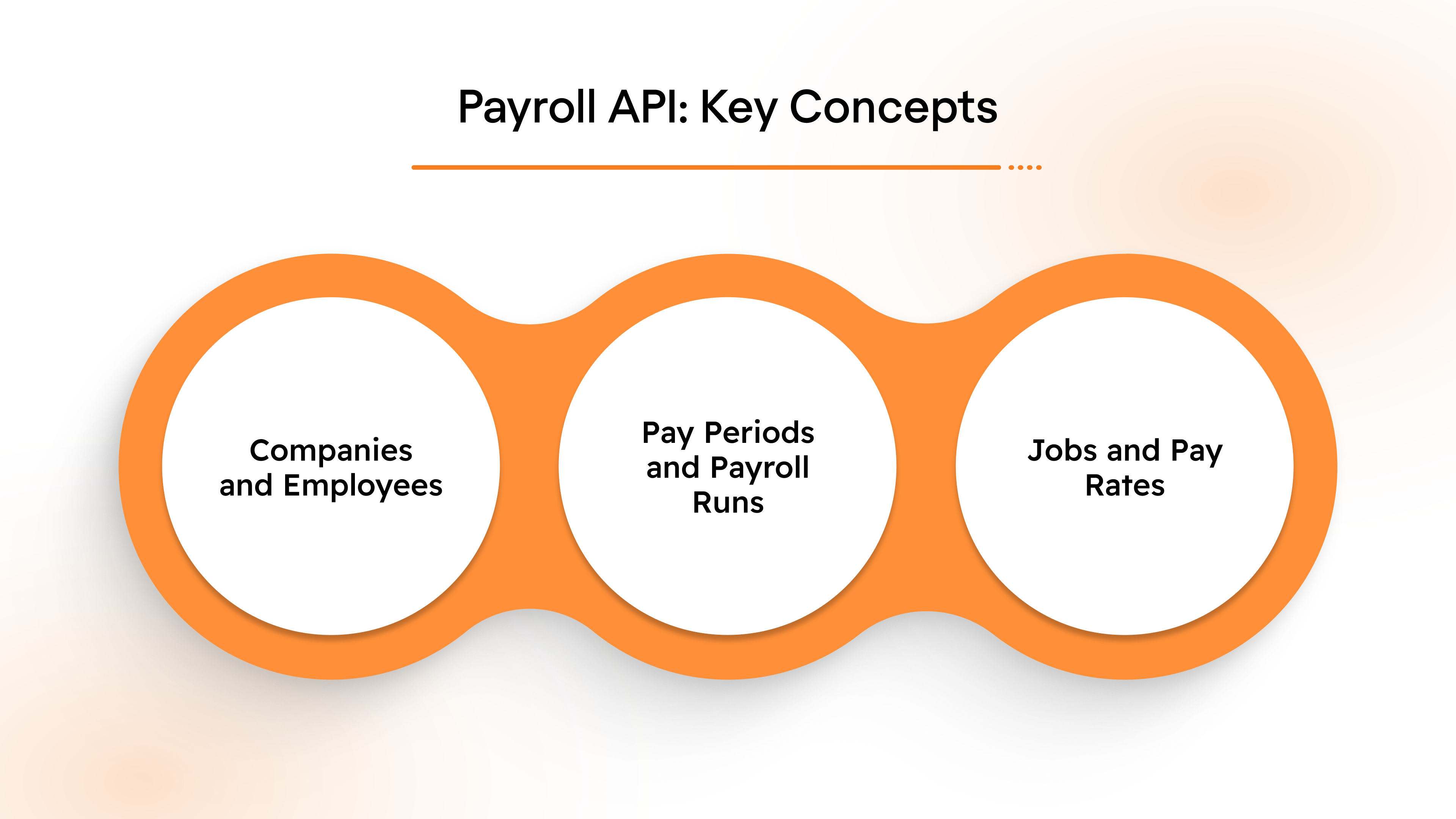
In order to effectively integrate payroll APIs, it’s essential to understand the key concepts that underpin payroll systems. This section will break down the core components and provide actionable guidance on how to handle payroll data.
Companies and Employees
Every payroll system revolves around companies and their employees. These two entities form the foundation of all payroll operations and API interactions.
Companies: Represents the organization responsible for managing payroll and ensuring employees are paid correctly. Key data includes:
- Company name
- Tax ID or EIN (Employer Identification Number)
- Address and contact details
Employees: Individuals who work for the company and receive compensation. You’ll typically work with data fields like:
- Employee ID
- Full name and contact information
- Job title and department
- Pay rate and payment method (direct deposit, check, etc.)
Pay Periods and Payroll Runs
Pay periods are the recurring time frames during which employee work is tracked for compensation. Payroll systems often work on weekly, bi-weekly, or monthly pay periods.
- Payroll runs represent the actual processing of payroll for each pay period. They include the calculation of gross pay, deductions, and net pay.
- Regular payroll runs: These occur at predefined intervals (e.g., every two weeks).
- Off-cycle payroll runs: These are one-time payments outside the regular schedule, often used for bonuses or corrections.
Jobs and Pay Rates
Each employee holds a job, which typically includes a pay rate—the amount they earn per hour or as a salary.
- Job: Defined by a title and the employee’s specific responsibilities. For instance, “Software Engineer” or “Customer Support Lead.”
- Pay Rate: The employee’s compensation. This could be:
- Hourly: The employee is paid per hour worked.
- Salary: A fixed amount paid per pay period, regardless of hours worked.
- Commissions/Bonuses: Additional payments on top of regular wages.
Actionable Step: When integrating payroll APIs, store job details and pay rates securely, ensuring that any changes to job roles or pay are accurately reflected in your payroll system.
With the fundamentals in place, let’s move on to the data layer. Payroll APIs rely on well-defined schemas, and understanding these structures is essential for accuracy, compliance, and reliable data exchange.
Payroll API Data Schemas
Payroll API data schemas define how data is structured and exchanged between applications.
Employee Data Schema
The employee data schema typically includes the following fields:
- Employee ID: A unique identifier for each employee.
- First and last name: Employee’s full legal name.
- Social security number (SSN): Required for tax purposes.
- Contact details: Address, phone number, and email.
- Employment status: Whether the employee is full-time, part-time, or a contractor.
Example Schema:
Pay and Tax Information Schema
The payroll API needs to manage pay and tax information to accurately calculate compensation.
Key fields include:
- Gross pay: The employee’s total earnings before any deductions.
- Net pay: The amount the employee takes home after deductions.
- Tax withholdings: Federal, state, and local taxes withheld from gross pay.
- Benefit deductions: Deductions for health insurance, retirement plans, etc.
Example Schema:
Actionable Step: Ensure accurate tax and benefit calculations by mapping the correct fields to the payroll API’s schema. Mismanagement of tax fields can lead to non-compliance with labor laws.
With concepts and schemas understood, we can now move into execution. This section breaks down how to actually integrate with payroll APIs in a structured, production-ready way.
Payroll API Integration: A Step-by-Step Guide
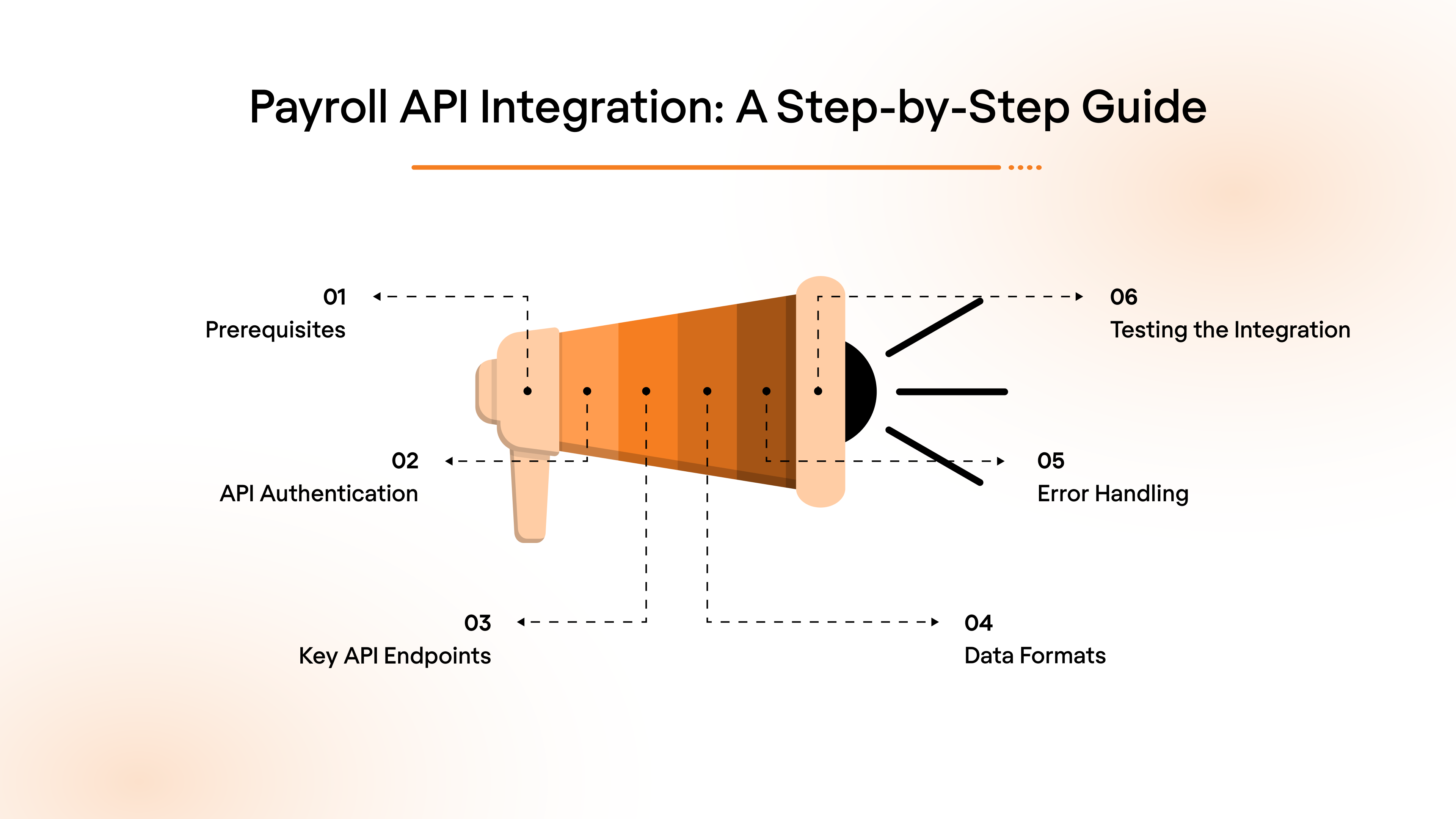
Different payroll platforms work differently, but the overall process for payroll API integration remains largely consistent. Here’s a high-level overview of the entire process.
1. Prerequisites
Before starting the integration, ensure the following prerequisites are met:
- API Access: Obtain the necessary API keys, tokens, or credentials from the payroll provider (or your end-user, i.e., HR teams in this case). This may require registering your application with the provider’s developer portal.
- Development Environment: Ensure your development environment is set up with required libraries (e.g., axios, requests, or fetch for HTTP requests).
Example Libraries:
- For JavaScript/Node.js: axios, fetch
- For Python: requests
- For Java: HttpClient
- Postman or cURL: Familiarity with API testing tools for validating API requests and responses during development.
2. API Authentication
Most payroll APIs require secure authentication to access their endpoints. The two most common authentication methods are:
A. OAuth 2.0:
This method provides a more secure, token-based authentication, usually involving multiple steps: obtaining an access token via a client ID/secret and using it for authorization.
Steps:
- Obtain client ID and secret from the API provider.
- Exchange these credentials for an access token.
- Use the access token in API requests.
B. API Keys:
Simpler than OAuth, this involves passing an API key in the header of each request.
Example Request with API Key:
GET /employees
Authorization: Bearer YOUR_API_KEY
Actionable Tip: Make sure to store API keys and tokens securely, and never hard-code them in your source files. Use environment variables or secure vaults to manage sensitive information.
3. Key API Endpoints
Understanding and correctly utilizing key API endpoints is critical for seamless payroll integration.
Here are common endpoint categories you will interact with:
A. Employee Management:
- Create a New Employee:
POST /employees
- Example Request Body:
{
"firstName": "John",
"lastName": "Doe",
"email": "john.doe@example.com",
"salary": 60000,
"startDate": "2024-01-01"
}
- Retrieve Employee Details:
GET /employees/{id}
- Update Employee Information:
PUT /employees/{id}
Use Case: Update employee records when salary, address, or employment status changes.
B. Payroll Processing:
- Initiate a Payroll Run:
POST /payroll
- Example Request Body:
{
"employeeId": "1234",
"payPeriodStart": "2024-01-01",
"payPeriodEnd": "2024-01-15",
"grossPay": 3000
}
- Retrieve Payroll Run Details:
GET /payroll/{id}
C. Reporting:
- Generate Payroll Reports:
GET /reports/payroll
Tip: Before sending requests, ensure you understand the required and optional parameters for each endpoint. Refer to the API documentation to avoid missing fields that could lead to errors or incomplete data handling.
4. Data Formats
Most payroll APIs use JSON for data exchange.
Ensure that the requests you send and the responses you handle are correctly formatted. Proper handling of JSON will ensure that the data sent to and received from the payroll system is accurate.
Example Request Body (Create Employee):
{
"firstName": "John",
"lastName": "Doe",
"email": "john.doe@example.com",
"salary": 60000,
"startDate": "2024-01-01"
}
Response Format (Payroll Processing):
{
"payrollId": "001",
"status": "Processed",
"employee": {
"employeeId": "1234",
"name": "John Doe",
"netPay": 2800,
"taxDeductions": 200
}
}
Tip: When handling JSON, validate both the structure and data types before sending a request or processing a response to avoid runtime errors and invalid data submissions.
5. Error Handling
Most APIs return HTTP status codes along with error messages to help developers identify and fix issues.
Example Error Response (401 Unauthorized):
{
"error": "Authentication failed",
"message": "Invalid API key or token"
}
Actionable Step: Implement a retry mechanism for transient errors (e.g., 500 Internal Server Error), but ensure there are limits to prevent endless retries. Also, log errors with sufficient detail for debugging, but avoid logging sensitive information (like tokens or API keys).
6. Testing the Integration
Before deploying the integration into production, it's critical to test every API endpoint and workflow to ensure proper functionality. Use the following tools to test the API and validate the integration:
- Postman: Use this for manually testing API calls, inspecting responses, and simulating workflows before implementing the integration in code.
- cURL: A command-line tool to quickly test API endpoints and review the output.
Testing Steps
- Authentication: Ensure that API keys or OAuth tokens are working as expected.
- Endpoint Responses: Test all the endpoints your application will use to ensure data is returned correctly and in the expected format.
- Error Scenarios: Simulate common error scenarios (e.g., invalid employee data, incorrect API keys) to confirm that your application handles errors gracefully.
- Edge Cases: Test edge cases like processing payroll for an employee with missing data or running payroll for an empty pay period.
Example Postman Test:
- Test: Send a POST request to /employees to create a new employee and check the status code.
- Expected Response: Status code 201 Created, with the employee details returned in the response body.
Actionable Step: Set up automated API tests for your core integration workflows using tools like Postman’s Collection Runner or automated testing frameworks (e.g., Jest, PyTest) to ensure ongoing functionality after updates.
Knowing how integration works is only useful when tied to real business value. Here are the most impactful and widely adopted payroll integration use cases in modern HR and workforce ecosystems.
Top Payroll API Use Cases
Payroll APIs offer several real-world applications that simplify payroll processes and improve efficiency.
Here are some common use cases:
1. Employee Onboarding
During the onboarding process, payroll APIs automatically collect employee data and set up payroll details such as bank account information, tax filing status, and benefits enrollment.
- Example: When a new hire joins, the API retrieves data from the HR system and pushes it to the payroll system to create the employee's payroll profile.
2. Employee Reimbursements
Payroll APIs can automate the process of reimbursing employees for expenses like travel or meals.
- Example: When an employee submits a travel reimbursement, the API adds it to the next payroll run for payout alongside regular wages.
3. Benefit Administration
Payroll APIs handle the deduction of employee benefit costs, such as health insurance or retirement contributions.
- Example: During payroll runs, the API calculates benefit deductions based on the employee’s chosen plans and deducts the appropriate amount from their pay.
4. Compensation Analytics and Planning
Compensation platforms leverage payroll APIs to extract real pay data, bonuses, and variable wages to support strategic workforce planning and budgeting.
- Example: HR leaders gain accurate pay trend visibility instead of relying on stale spreadsheets.
5. Time-Off Sync With Payroll
Payroll APIs can also sync time-off requests and accruals directly with payroll systems, ensuring accurate compensation for time off and eliminating errors in vacation or sick leave tracking.
- Example: When an employee takes time off, the payroll API records the time-off request, adjusts the employee’s balance, and ensures that the time-off is factored into the next payroll run, including the appropriate deductions or payouts for unused leave.
Benefits of Payroll API Integration
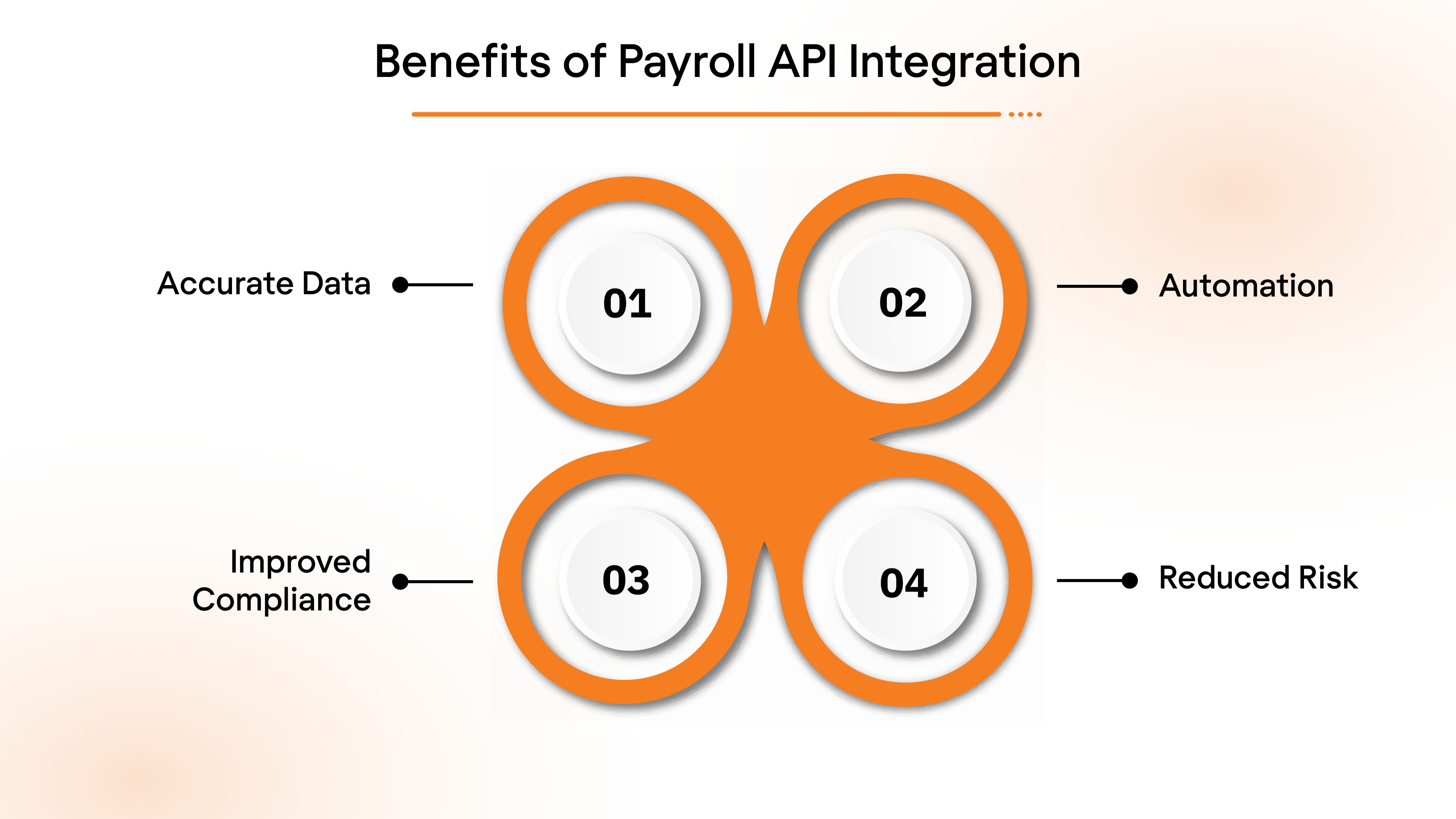
Beyond convenience, payroll API integration drives measurable outcomes. Here are a few of them:
Accurate Data
Payroll APIs ensure that data flows between systems in real time, reducing the chances of errors caused by manual data entry.
- Example: When an employee updates their bank details in the HR system, the API automatically syncs this information with the payroll system, preventing failed payments.
Automation
By automating payroll tasks such as tax calculations, benefit deductions, and payroll runs, APIs eliminate the need for manual processing.
- Example: During each payroll run, the API automatically applies tax rates and benefit deductions based on the latest employee information.
Improved Compliance
Payroll APIs can help businesses remain compliant with ever-changing tax laws and labor regulations.
- Example: The API ensures that the correct federal and state taxes are applied based on the employee’s location, reducing the risk of non-compliance penalties.
Reduced Risk
By centralizing payroll data, APIs reduce the risk of data silos, ensuring that all HR and payroll systems operate with consistent, up-to-date information.
- Example: When payroll and HR systems are integrated via API, they share the same source of truth, reducing discrepancies in employee data.
However, payroll integration is not “plug and play.” Real-world execution is complex, and even experienced teams run into challenges that can slow delivery and introduce risk.
Common Challenges in Payroll API Integration
While payroll integration unlocks automation, accuracy, and faster operations, the path to stable, production-grade payroll API integration is rarely straightforward. Real-world environments involve fragmented vendors, complex tax logic, compliance pressure, and constant system change, and poorly designed integrations can quickly become operational liabilities.
Below are the major technical and operational challenges teams encounter when integrating payroll systems.
1. Fragmented payroll providers and inconsistent APIs
The payroll ecosystem is highly fragmented, and every provider “thinks” about data differently. One vendor exposes modern REST APIs with event-based syncing. Another still requires scheduled SFTP file drops. A third limits endpoint depth unless customers upgrade plans.
Example: A benefits platform integrates with ADP, Gusto, and Paylocity. Each platform handles employee identifiers, pagination, throttling, and authentication differently. The team ends up writing (and maintaining) three separate integration frameworks just to fetch the same employee dataset.
2. Tax rules, jurisdictions, and constant regulatory change
Payroll must reflect federal, state, local, and sometimes city tax rules. These change frequently and silently. Integrations must remain compliant without breaking mission-critical payroll runs.
Example: A company expands into three additional U.S. states. Each state introduces different withholding logic, unemployment tax thresholds, and local tax conditions. The API integration must update tax mapping instantly or risk incorrect paychecks and penalties.
3. Handling retro pay, corrections, and off-cycle runs
Real-world payroll is not linear. Retro payments, corrections, bonuses, and emergency payouts are routine. Integrations must handle these without corrupting data history.
Example: An employee receives a backdated salary revision applied to the previous three months. The payroll integration must recalculate prior periods, update financial records, and ensure taxes, deductions, and benefits align without duplicating payouts.
4. Data matching between HRIS, time systems, and payroll
Payroll integrations rarely run in isolation. They sit between HRIS, time tracking, benefits, accounting, and ERP platforms. Even small mismatches can create system-wide failures.
Example: HRIS lists an employee as “Full-time.” Time tracking lists them as “Part-time hourly.” Payroll API rejects the record or miscalculates compensation. Without robust normalization, payroll accuracy collapses.
5. Security and access control for sensitive payroll data
Payroll integrations handle the most sensitive workforce data: salary, banking info, SSNs, tax identities. Any weakness introduces critical risk.
Example: A vendor stores OAuth tokens in plaintext or logs sensitive data in error traces. A single internal breach exposes compensation and tax identifiers, triggering compliance violations and reputational damage.
These challenges are why many teams standardize on payroll API integration or unified payroll integration APIs instead of building and maintaining vendor-by-vendor connectors.
Simplify Payroll API Integration using Bindbee
Bindbee is a unified integration platform that connects your product to 50+ HRIS, ATS, and payroll systems through a single API. Instead of engineering and maintaining separate integrations for every payroll provider, Bindbee delivers standardized data models, secure authentication, continuous syncing, and built-in monitoring from day one.
How to Set Up Payroll Integration with Bindbee
- Sign up with Bindbee and navigate to the dashboard.
- Create a Connector:
- Click on Create Connector from the dashboard.
- Select Payroll as the type of integration. Enter customer details and give your connector a unique ID (e.g., ADP_Integration).
- Generate a Magic Link:
- After setting up the connector, click Create Link to generate a magic link. This will allow the customer to authenticate the connection with the Payroll API.
- Open the link and enter the necessary credentials (e.g., ADP key, subdomain). This step establishes the connection between the platform and Bindbee.
- Sync the Connector:
- Once the connection is made, the connector will begin syncing data from the payroll platform. This may take a few minutes, depending on the size of the data. You can track the sync status in the connector section.
- Access the Synced Data:
- After syncing, go to the Employee section in the Bindbee dashboard and select Get Employees to retrieve employee data from the payroll platform.
- After syncing, go to the Employee section in the Bindbee dashboard and select Get Employees to retrieve employee data from the payroll platform.
Check out the entire documentation here: Bindbee’s API documentation.
No-code, zero-maintenance integrations that offer round-the-clock data sync at one-tenth the cost of custom Integrations. Check out Bindbee today.
Conclusion
Regardless of your role as an HR leader or a tech vendor, at the end of the day, everything done in this space called ‘Human Resources’ is to benefit the most valuable asset for you and your customers:
People.
So why not go down the route that is faster, easier, and affordable for all?
With Bindbee, anything and everything integrations are simplified for all parties involved.
Our Unified API is engineered with three-core functionalities: targeted data access, agility, and transparency in end-to-end operations. No more added bandwidth from your engineering talent for In-house maintenance, no more complexities, and no more back-and-forth between your customers’ HR and IT teams. Just fast, easier, and robust integrations that are as efficient as efficiency can get.
Don’t take our word, talk to one of our experts today to find out why we’re the perfect fit for your connectivity requirements.
Skip the wait, book a demo today.
FAQs
1. How does payroll API integration benefit HR platforms?
It eliminates manual data entry, improves accuracy, and ensures real‑time sync across systems, reducing errors and operational delays.
2. How long does payroll integration take to implement?
Implementation time varies based on the complexity of the integration and the systems involved, but typically, payroll API integration takes weeks, not months, compared to manual or custom-built solutions.
3. How can payroll API integration help with compliance?
Payroll API integration ensures that employee data is always accurate and up-to-date across systems, reducing the risk of payroll errors and improving compliance with tax regulations and labor laws.