

An HRIS (Human Resources Information System), often used interchangeably for an HRMS or HCM, is a software solution used for people-centric tasks within organizations. Think hiring, onboarding, payroll, deductions— An HRIS is a centralized hub to keep track of these different data formats for organizations of all sizes.
Studies say that the average HR team today uses 6-8 different HR-Tech applications. For different HR-Tech solutions to deliver value quickly and consistently, data-connectivity between these different systems must be streamlined through the right Integrations.
Read on to learn more about HRIS Integrations.
Key Takeaways
- HRIS integration connects HRIS platforms with payroll, benefits, ATS, ERP, and workforce tools to enable secure, real-time employee data exchange without manual intervention.
- Modern HRIS integrations deliver measurable outcomes, including 80–90% fewer payroll discrepancies, faster onboarding, a stronger compliance posture, and lower HR operational overhead.
- The biggest challenges remain brittle point-to-point integrations, vendor API differences, data normalization complexity, authentication security, versioning risk, and latency.
- Best-in-class teams now use unified APIs or specialized HRIS integration software to centralize authentication, normalize schemas, manage events, and dramatically reduce maintenance effort.
- Bindbee’s unified API simplifies HRIS integration with 60+ supported systems, real-time sync, security, and developer-friendly tools.
What Is HRIS Integration?
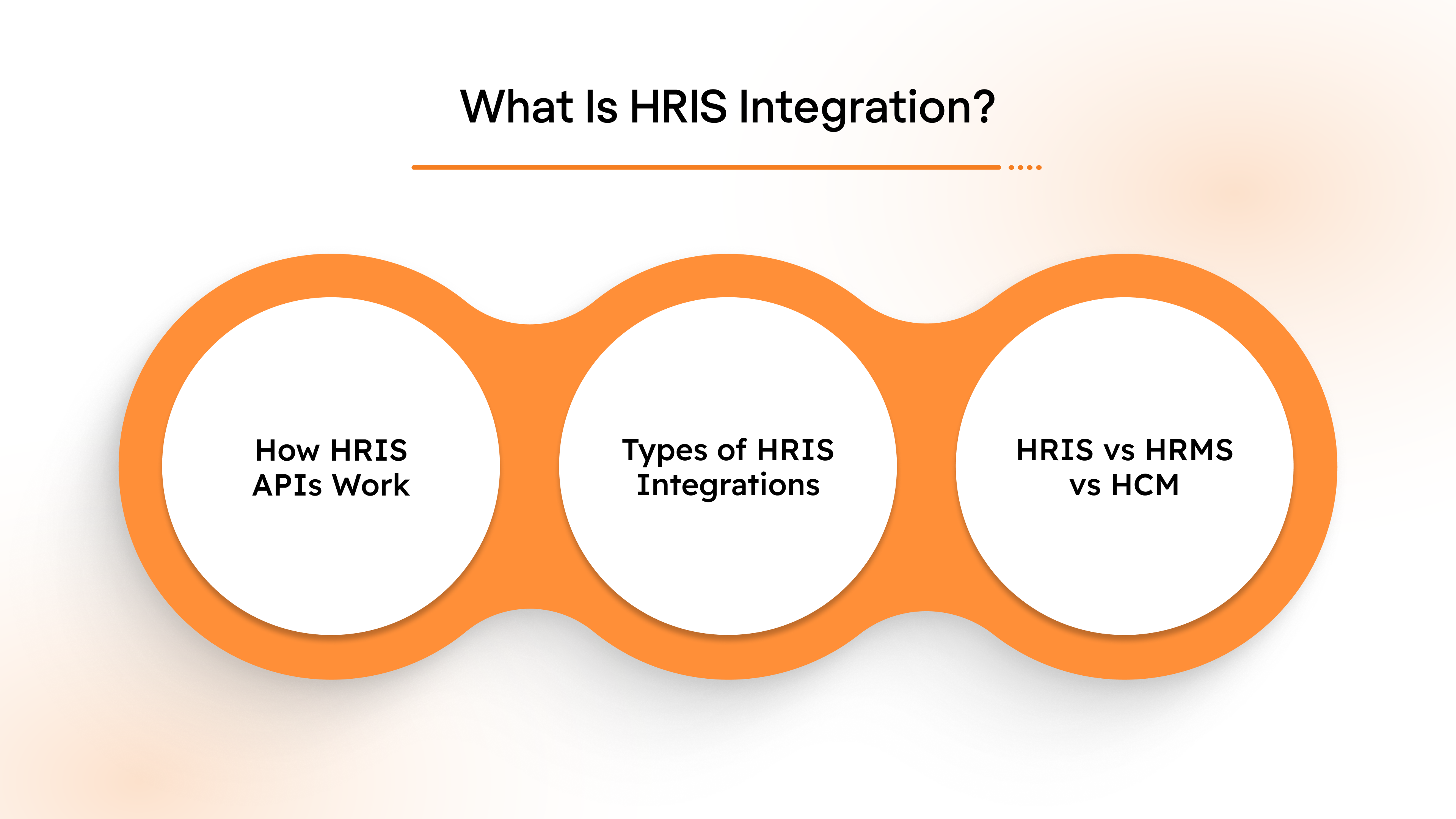
HRIS integration refers to the process of connecting a Human Resource Information System with other critical business platforms to enable secure, accurate, and continuous data exchange. Instead of managing isolated HR tools with fragmented data silos, HRIS integrations ensure employee information remains consistent across payroll systems, benefits platforms, ATS, ERP tools, learning systems, and compliance applications.
In most organizations, an HRIS functions as the primary source of truth for employee data, covering demographics, employment status, compensation, benefits eligibility, time tracking, and organizational structure. When you integrate HRIS platforms with other systems, this data flows automatically and in real time, eliminating manual updates, duplicate inputs, and the risk of costly discrepancies.
How HRIS APIs Work
HRIS APIs function by sending API calls (requests for specific data) between systems. These API calls interact with endpoints in each connected system, which are URLs or entry points that allow systems to exchange data. Each endpoint is designed to handle specific tasks, such as updating employee records or retrieving payroll information.
Authentication is a key aspect of HRIS API functionality. APIs typically use OAuth or JWT (JSON Web Tokens) for secure access. These methods ensure that only authorized users or systems can make data requests, keeping sensitive employee information secure.
The data typically flows in a standardized format, such as JSON or XML, ensuring that it can be easily read and processed by each connected system. The flow of data may be real-time, meaning updates are immediately reflected across systems, or batch updates, where data is synced at scheduled intervals, such as daily or weekly.
This process makes it possible for organizations to maintain consistent, accurate, and up-to-date employee data across various platforms, improving operational efficiency and reducing manual workloads.
Types of HRIS Integrations
- Customer-facing integrations: Automate the exchange of employee records from the HRIS to external systems like recruiting, benefits, and time tracking tools, improving client satisfaction.
- Internal integrations: Simplify HR tasks such as payroll synchronization, performance management, and training program tracking, helping your internal HR operations run smoothly.
HRIS vs HRMS vs HCM: Do They Differ?
Although often used interchangeably, there are subtle differences worth understanding, especially when evaluating HRIS integration software:
- HRIS (Human Resource Information System): Focuses on core employee records, payroll alignment, compliance, and administrative HR operations.
- HRMS (Human Resource Management System): Extends HRIS functionality with additional components, including performance management, employee engagement, onboarding workflows, and workforce management.
- HCM (Human Capital Management): Takes a broader strategic view, encompassing workforce planning, talent optimization, analytics, and organizational development, often spanning enterprise-scale ecosystems.
Regardless of terminology, the objective remains the same: HRIS integration creates a unified data layer across systems so every platform reflects accurate, synchronized employee information without operational friction.
Modern organizations rely on HRIS integration software to support:
- HRIS payroll integration
- Benefits administration syncs
- ATS-to-HRIS employee onboarding flows
- Finance and ERP alignment
- Compliance reporting
- Workforce analytics
As HR ecosystems evolve and data dependency grows, HRIS integrations are no longer optional but foundational to operational efficiency, compliance stability, and scalable HR technology strategy. Now, let’s take a closer look at their importance.
Why are HRIS Integrations Important?
HRIS integrations go beyond simple data connections with HRIS systems. Here’s how they improve the overall efficiency of an HR department:
1. Customer Satisfaction
A broad range of HRIS integrations means organizations get to benefit from your product faster. Products that reduce TTV (Time-to-value) can see customer satisfaction increases ranging from 10% to 30%.
2. Secure your Organization’s PII (Personal Identifiable Information)
Data connectivity shouldn’t come at the cost of risking employee data. Manually transferring through flat files brings in a number of worst-case scenarios that can impact both a platform and its customers.
Outsourcing integration requirements to a unified API would enable HR-Tech platforms to offer more control over their customers’ data.
3. Improve Employee Experience
Robust, reliable integrations help teams accelerate on people-centric tasks, while also enabling secondary users (employees) to get real-time value through product integrations.
Suggested Read: Understanding API Integration Cost: Factors and Estimation
Benefits of HRIS Integration
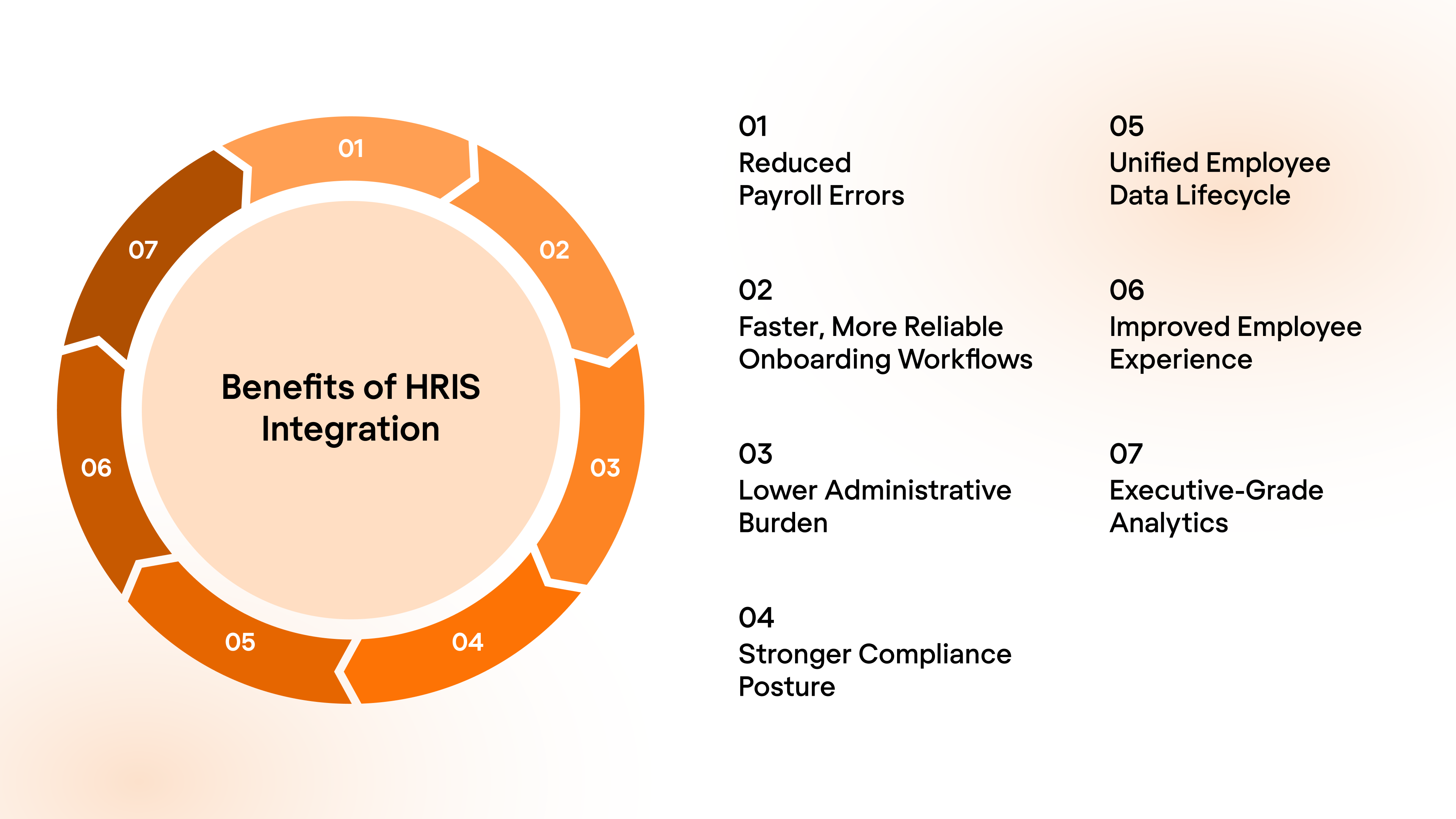
The real benefits of HRIS integration go far beyond connecting systems. When HRIS platforms seamlessly exchange employee data with payroll, benefits, ATS, ERP, and compliance tools, organizations gain measurable operational, financial, and experience-driven advantages.
Here’s how HRIS integration benefits modern HR, payroll, and benefits ecosystems:
1. Reduced Payroll Errors and Financial Risk
One of the most critical outcomes of HRIS payroll integration is accuracy.
- It eliminates duplicate data entry across payroll and HR systems
- Reduces compensation, tax, and deduction mistakes
- Minimizes compliance penalties caused by incorrect payroll processing
Organizations adopting integrated HRIS-payroll ecosystems commonly report:
- Up to 80–90% reduction in payroll discrepancies
- Significantly fewer retro-pay corrections
- Lower financial exposure and auditing challenges
2. Faster, More Reliable Onboarding Workflows
Integrated HRIS systems allow employee data to automatically sync into payroll, benefits, IT provisioning, access controls, and workforce tools, avoiding fragmented onboarding steps.
The results:
- Onboarding timelines are shrinking from weeks to hours
- Automated provisioning instead of manual admin processing
- Immediate eligibility mapping for benefits and payroll enrollment
Faster onboarding directly translates to faster productivity.
3. Lower Administrative Burden
HR teams spend less time reconciling spreadsheets, managing manual imports, and correcting inconsistencies.
Integrated ecosystems enable:
- 30–50% reduction in administrative workload
- Meaningful cost savings on HR ops overhead
- Increased bandwidth for strategic initiatives instead of data cleanup
4. Stronger Compliance Posture
With synchronized employee records, organizations maintain consistent and auditable data across all systems. Benefits include:
- Reduced risk of regulatory violations
- Better readiness for audits
- Stronger security controls for sensitive HR data
5. Unified Employee Data Lifecycle
A connected HRIS environment ensures every stage of the employee journey (new hire, active employment, role change, compensation adjustments, or termination) remains aligned across platforms.
This creates:
- Continuous real-time employee visibility
- Fewer system conflicts
- Stable and predictable HR system behavior
6. Improved Employee Experience
Employees experience fewer access delays, payroll issues, and benefits enrollment confusion when systems communicate reliably.
This results in:
- Higher trust in HR systems
- Reduced frustration and support tickets
- Stronger overall employee engagement
7. Executive-Grade Analytics and Decision Intelligence
When HR, payroll, finance, and workforce platforms share standardized data, leadership gains high-confidence visibility into workforce trends.
Organizations benefit through:
- Accurate people analytics
- Data-backed workforce planning
- Better forecasting for compensation, staffing, and benefits costs
How to Overcome Common Challenges in HRIS Integration
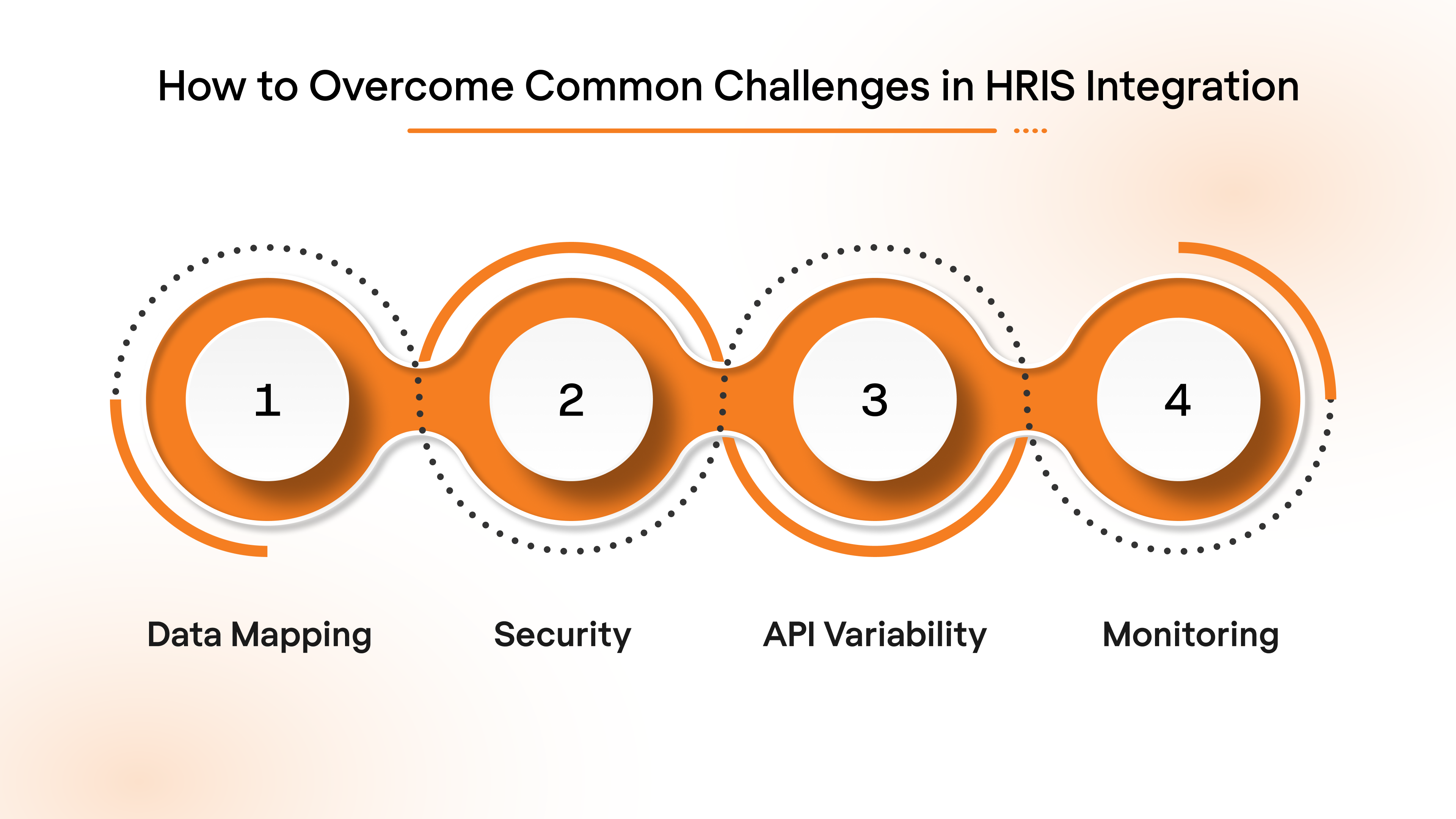
Here are the most common hurdles organizations face while implementing HRIS integrations and how to address them effectively.
1. Data Mapping and Schema Conflicts
Different platforms often use varied field names and data structures, which can lead to data mapping issues when syncing HRIS with other systems. For example, "full name" in one system might be split into "first name" and "last name" in another.
This schema conflict can cause data mismatches, requiring extensive manual mapping. To overcome this challenge, ensure your integration tool supports data normalization and allows for easy schema mapping across systems, ensuring smooth data flow and consistency.
2. Security & Identity Management
HRIS integration involves handling sensitive personally identifiable information (PII), such as employee names, Social Security numbers, and payroll details. Ensuring that this data is secure and compliant with data protection regulations (like GDPR, SOC2, and HIPAA) is a major challenge.
To protect PII, it’s crucial to implement robust identity and access management protocols, including data encryption, secure authentication methods (OAuth/JWT), and role-based access controls to ensure only authorized personnel can access sensitive data.
3. API Variability and Versioning
APIs from different vendors can vary in terms of authentication methods, data formats, and versioning. As vendors update their APIs, businesses may face the challenge of keeping integrations up-to-date, especially when APIs change unexpectedly or lack backward compatibility.
The key to solving this is to use API management platforms or unified APIs that abstract the complexities of individual vendor APIs, making it easier to handle changes in vendor versions and ensuring that integrations remain functional as platforms evolve.
4. Integration Testing and Monitoring
Proper testing and monitoring are critical to ensure that payroll, HR, and benefits data sync correctly across all platforms. Without rigorous testing, integration issues like data mismatches, API failures, or delayed updates can disrupt HR workflows.
A robust testing phase with sandbox environments allows you to simulate real‑world data flows and identify potential issues before going live. Additionally, continuous monitoring and error tracking after deployment ensure that integration remains smooth and any issues can be quickly identified and resolved.
Top HRIS APIs for Integration
The HR software (HRIS, HRMS, HCM) market is highly fragmented, mainly due to the differences in functionality and target markets.
Read on for a comparative analysis of the top 10 HRIS systems
That said, here’s a detailed overview of the top HRIS APIs with their corresponding market share, standout features, and key integration details.
HRIS Integrations: Key API Concepts
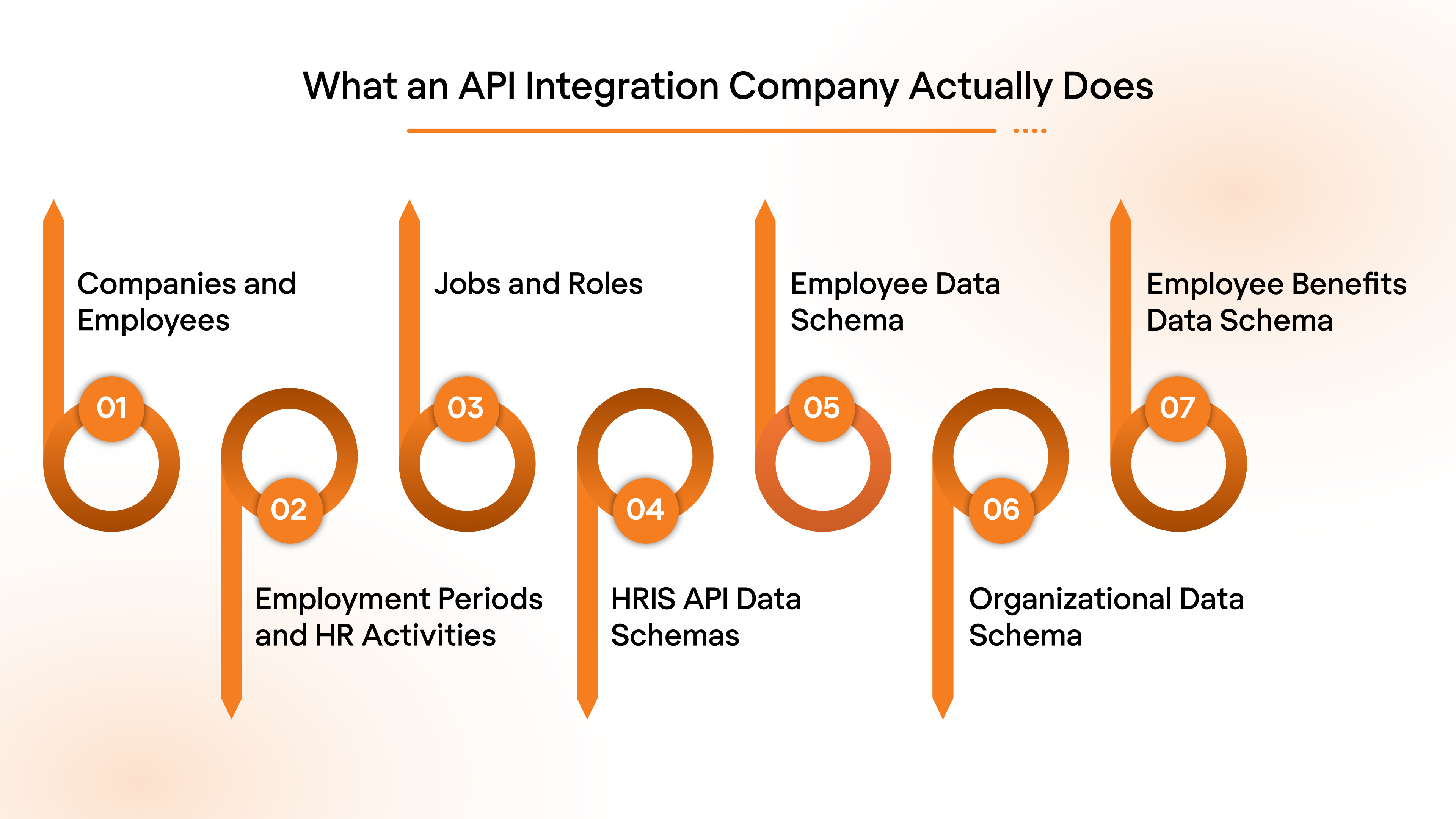
In order to effectively integrate HRIS APIs, it is essential to understand the key concepts that underpin HR systems.
Interested in Payroll APIs instead? Read the complete Integration guide here.
This section will break down the core components you will need to know for integrating with any HRIS.
1. Companies and Employees
Every HRIS system revolves around companies and their employees. These two entities form the foundation of all HR operations and API interactions.
- Companies: Represents the organization responsible for managing employee records and HR operations. Key data includes:
- Company name
- Tax ID or EIN (Employer Identification Number)
- Address and contact details
- Employees: Individuals who work for the company and whose personal and employment data are managed by the HRIS. You’ll typically work with data fields like:
- Employee ID
- Full name and contact information
- Job title and department
- Employment status (full-time, part-time, contractor)
HRIS company and employee data structure showing organizational hierarchy and employee records
2. Employment Periods and HR Activities
Employment periods are the time frames during which an employee's status, job role, and compensation are tracked in the HR system. HRIS systems also manage key HR activities like onboarding, promotions, and terminations.
- Regular HR Activities: These occur at predefined intervals (e.g., annual performance reviews, contract renewals).
- Off-cycle HR Events: These are one-time events, such as promotions, disciplinary actions, or offboarding due to resignation or termination.
3. Jobs and Roles
Each employee holds a specific job role, which typically includes their responsibilities, pay grade, and reporting structure.
- Job: Defined by a title and the employee’s specific responsibilities. For instance, “Software Engineer” or “HR Manager.”
- Roles and Hierarchies: Each employee's position within the organizational hierarchy, including reporting managers and team structures.
4. HRIS API Data Schemas
HRIS API data schemas define how employee data, job roles, and organizational structures are structured and exchanged between applications.
5. Employee Data Schema
The employee data schema typically includes the following fields:
- Employee ID: A unique identifier for each employee.
- First and last name: Employee’s full legal name.
- Contact details: Address, phone number, and email.
- Employment status: Whether the employee is full-time, part-time, or a contractor.
- Job title: The employee's position within the company.
- Manager: The employee’s reporting manager or team lead.
6. Organizational Data Schema
HRIS APIs need to manage organizational data to track department structures, team hierarchies, and employee reporting lines.
Key fields include:
- Department: The employee’s department or business unit.
- Team: Subdivisions within departments.
- Manager ID: The employee’s supervisor or direct manager.
- Org Level: The employee's level in the organizational hierarchy.
7. Employee Benefits Data Schema
Employee benefits are a critical part of the HRIS data structure. HRIS APIs allow you to manage and track employee benefits data, which includes health insurance, retirement plans, and other benefits programs. Below are key fields to manage employee benefits.
Key fields include:
- Benefit Type: The type of benefit provided (e.g., health insurance, retirement plan).
- Benefit Provider: The company or organization providing the benefit (e.g., insurance provider, 401(k) plan manager).
- Benefit Enrollment Status: Whether the employee has enrolled, opted out, or is awaiting approval for the benefit.
- Benefit Deduction: The amount or percentage of salary deducted for the employee's benefit plan.
- Benefit Start/End Dates: The dates on which the benefit plan begins and ends for the employee.
- Coverage Level: The level of coverage (e.g., single, family) provided by the benefit.
Example:
Suggested Read: Understanding the Role of APIs in Employee Benefits Administration
HRIS API-High-Level Integration Overview
To directly integrate with any HRIS platform, the guidelines and documentation might differ with each platform.
But here’s a high-level overview of the entire process.
1. Prerequisites
Before starting the integration, ensure the following prerequisites are met:
- API Access: Obtain the necessary API keys, tokens, or credentials from the HRIS provider (or your end-user, i.e., HR teams in this case).
- This may require registering your application with the provider’s developer portal.
- Development Environment: Ensure your development environment is set up with required libraries (e.g., axios, requests, or fetch for HTTP requests).
Example Libraries:
- For JavaScript/Node.js: axios, fetch
- For Python: requests
- For Java: HttpClient
- Postman or cURL: Familiarity with API testing tools for validating API requests and responses during development.
2. API Authentication
Most HRIS APIs require secure authentication to access their endpoints. The two most common authentication methods are:
A. OAuth 2.0:
- This method provides a more secure, token-based authentication, usually involving multiple steps: obtaining an access token via a client ID/secret and using it for authorization.
Steps:
- Obtain client ID and secret from the API provider.
- Exchange these credentials for an access token.
- Use the access token in API requests.
B. API Keys:
- Simpler than OAuth, this involves passing an API key in the header of each request.
Example Request with API Key:
GET /employees
Authorization: Bearer YOUR_API_KEY
Actionable Tip: Make sure to store API keys and tokens securely, and never hard-code them in your source files. Use environment variables or secure vaults to manage sensitive information.
3. Key API Endpoints
Understanding and correctly utilizing key API endpoints is critical for efficient HRIS integration.
Here are the common endpoint categories you will interact with:
A. Employee Management:
- Create a New Employee:
POST /employees
Example Request Body:
{
"firstName": "John",
"lastName": "Doe",
"email": "john.doe@example.com",
"jobTitle": "Software Engineer",
"startDate": "2024-01-01"
}
- Retrieve Employee Details:
GET /employees/{id}
- Update Employee Information:
PUT /employees/{id}
B. Organizational Structure Management:
- Create a New Department:
POST /departments
Example Request Body:
{
"name": "Engineering",
"managerId": "123"
}
- Update Department Structure:
PUT /departments/{id}
C. Reporting:
- Generate Employee Reports:
GET /reports/employees
Tip: Before sending requests, ensure you understand the required and optional parameters for each endpoint. Refer to the API documentation to avoid missing fields that could lead to errors or incomplete data handling.
4. Data Formats
Most HRIS APIs use JSON for data exchange.
Ensure that the requests you send and the responses you handle are correctly formatted. Proper handling of JSON will ensure that the data sent to and received from the HRIS is accurate.
Example Request Body (Create Employee):
{
"firstName": "John",
"lastName": "Doe",
"email": "john.doe@example.com",
"jobTitle": "Software Engineer",
"startDate": "2024-01-01"
}
Response Format (Employee Information):
{
"employeeId": "001",
"status": "Active",
"employee": {
"employeeId": "1234",
"name": "John Doe",
"jobTitle": "Software Engineer",
"department": "Engineering"
}
}
Tip: When handling JSON, validate both the structure and data types before sending a request or processing a response to avoid runtime errors and invalid data submissions.
5. Error Handling
Most APIs return HTTP status codes along with error messages to help developers identify and fix issues.
Example Error Response (401 Unauthorized):
{
"error": "Authentication failed",
"message": "Invalid API key or token"
}
Actionable Step: Implement a retry mechanism for transient errors (e.g., 500 Internal Server Error), but ensure there are limits to prevent endless retries. Also, log errors with sufficient detail for debugging, but avoid logging sensitive information (like tokens or API keys).
6. Testing the Integration
Before deploying the integration into production, it is critical to test every API endpoint and workflow to ensure proper functionality. Use the following tools to test the API and validate the integration:
- Postman: Use this for manually testing API calls, inspecting responses, and simulating workflows before implementing the integration in code.
- cURL: A command-line tool to quickly test API endpoints and review the output.
Testing Steps
- Authentication: Ensure that API keys or OAuth tokens are working as expected.
- Endpoint Responses: Test all the endpoints your application will use to ensure data is returned correctly and in the expected format.
- Error Scenarios: Simulate common error scenarios (e.g., invalid employee data, incorrect API keys) to confirm that your application handles errors gracefully.
- Edge Cases: Test edge cases like creating employee records with missing data or updating employee roles for a terminated employee.
Common HRIS Integration Use Cases
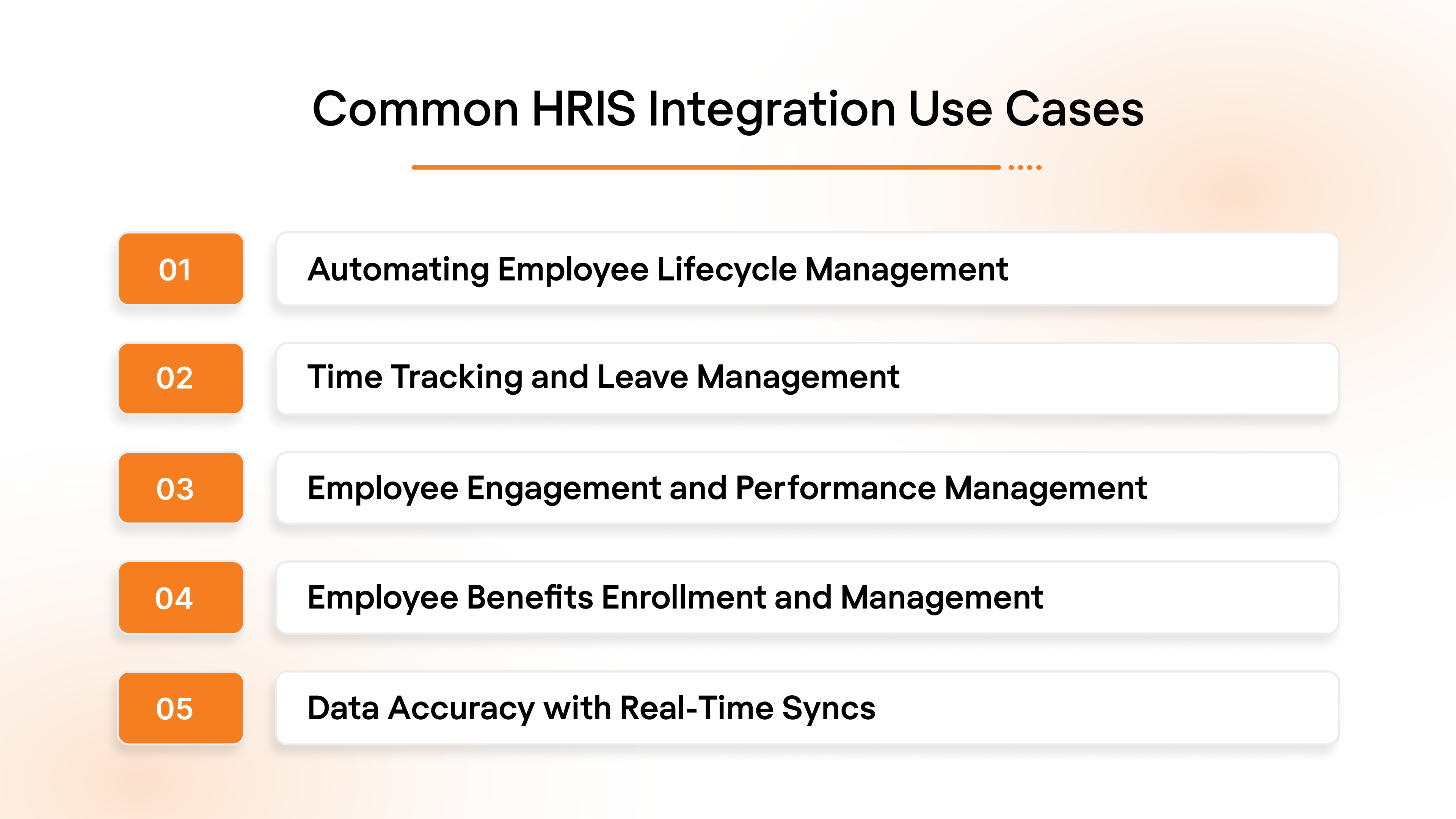
HRIS integrations power a wide range of real operational workflows across HR, payroll, benefits, workforce management, and compliance systems, enabling organizations to run accurate, automated, and scalable people operations.
1. Automating Employee Lifecycle Management
The employee lifecycle—onboarding, updating, and offboarding—forms the core of both an HRIS and HR operations.
HRIS Integrations can automate this process, providing consistent and real-time data management across systems.
Onboarding
Syncing new hire data from the HRIS into key systems (e.g., payroll, benefits) upon employee addition can significantly reduce manual input and errors.
Offboarding
Proper deprovisioning ensures that terminated employees lose access to sensitive systems and their functionalities promptly. This is critical for maintaining security and compliance across HR-Tech platforms.
2. Time Tracking and Leave Management
HRIS integrations enable time tracking and leave management systems to sync employee work hours and time-off data automatically.
By pulling from employee census records, these integrations eliminate the need for manual data entry, significantly reducing the administrative workload for HR teams.
3. Employee Engagement and Performance Management
Integrating workforce management tools with HRIS systems centralizes key functions such as daily tasks and performance tracking.
These integrations allow employee engagement and performance management platforms to access vital employment information, such as job roles, organizational structure, and manager details—triggering automated workflows that enhance both engagement and performance.
4. Employee Benefits Enrollment and Management
HRIS integrations play a crucial role in automating the employee benefits enrollment process. By syncing benefit plan details from HRIS to payroll, benefits, and finance systems, organizations can ensure that employees are accurately enrolled in health plans, retirement savings programs, and other benefits upon hiring or during open enrollment periods.
Benefits Enrollment: When a new hire joins, the HRIS integration automatically pushes their benefits selection to the benefits management system and payroll to facilitate deductions.
Benefits Updates: For existing employees, HRIS integration ensures that changes in benefits (e.g., plan upgrades, dependent status, or beneficiary changes) are seamlessly reflected across HR, payroll, and benefits systems in real time.
Example: An employee selects a new health insurance plan. HRIS integration sends this data to the benefits system, which updates their payroll deductions and informs the relevant department.
5. Data Accuracy with Real-Time Syncs
Accurate employee data is essential for payroll, benefits, and compliance.
HRIS integrations can sync this data in real-time across all platforms, eliminating discrepancies and ensuring uniformity. Keeping employee information (such as job titles, departments, and compensation) in sync across systems ensures that every platform has the most current data.
Suggested Read: Top 8 API Use Cases for Modern SaaS Team
HRIS Integration Best Practices
Successful HRIS integrations are not just about connecting two systems. They require thoughtful architecture, resilient data handling, and operational discipline. If you want to integrate HRIS correctly and support scalable growth, these best practices form the foundation of modern HRIS integrations.
1. Choose the Right HRIS Integration Software
Not all integration approaches are equal. Organizations typically choose between:
- Custom-built connectors
- Generic iPaaS / workflow tools
- Modern unified HRIS integration platforms
When evaluating HRIS integration software, prioritize:
- Depth of coverage across HR, payroll, and benefits systems
- Support for legacy plus modern APIs
- Vendor-agnostic data normalization
- Built-in monitoring, retries, and version resilience
This ensures integrations are future-proof rather than short-term patches.
2. Prioritize Real-Time Syncing Over Scheduled Syncs
Batch syncs create operational risk. Real-time or near real-time syncing ensures accuracy where it matters most: payroll runs, benefits eligibility, employee lifecycle changes, and compliance updates.
Look for capabilities such as:
- Webhooks & event subscriptions
- Incremental syncs
- Low-latency data propagation
Modern HR workflows cannot depend on stale employee data.
3. Standardize & Normalize Fields Early
Different HRIS and payroll systems model employees differently. Without field normalization, every downstream workflow becomes fragile.
Critical alignment areas include:
- employment status
- comp structure and pay cadence
- deduction fields
- organizational hierarchy
- job roles and department mapping
Normalized schemas create a true single employee source of truth.
4. Implement Robust Logging, Monitoring & Alerts
Modern HRIS integrations must be observable, not invisible.
Teams should have:
- request/response logging
- failed sync alerts
- error classification and retriable queues
- visibility into which customers are impacted
This prevents silent failures and enables proactive operational response instead of firefighting.
5. Build a Structured Testing Strategy
Before going live, validate integrations through:
- sandbox testing with vendor APIs
- realistic employee profile scenarios
- edge-case handling (terminations, rehires, comp changes)
- load simulation where applicable
Testing isn’t about “does it connect?”; it is about “does it behave correctly in every lifecycle event?”
6. Always Plan for Rollback & Failure Recovery
Even the best-designed integrations encounter vendor outages, schema changes, or unexpected customer-side configurations.
Ensure you have:
- controlled rollback capability
- retry strategies
- fallback workflows
- safe degradation rather than total failure
A well-architected integration assumes failure is possible and designs accordingly.
7. Treat Integrations as a Long-Term Product Capability
Integrations are living infrastructure. Organizations that succeed operationalize integrations with:
- dedicated ownership
- lifecycle governance
- version management strategy
This mindset separates fragile ecosystems from scalable HR platforms.
Why This Matters
Modern HR ecosystems depend on reliable connectivity between HRIS, payroll, benefits, ATS, finance, and compliance systems. Following these best practices ensures modern HRIS integrations deliver accuracy, resilience, security, and predictable performance at scale, instead of becoming ongoing technical debt.
Simplify HRIS Integrations with Bindbee
Regardless of your role as an HR leader or a tech vendor, at the end of the day, everything done in this space called ‘Human Resources’ is to benefit the most valuable asset for you and your customers:
People.
So why not go down the route that is faster, easier, and more affordable for all?
With Bindbee, integrations are simplified for all parties involved.
Our Unified API is engineered with three-core functionalities: get data access, agility, and transparency in end-to-end operations.
No more added bandwidth from your engineering talent for in-house maintenance, no more complexities, and no more back-and-forth between your customers’ HR and IT teams.
Just fast, easier, and robust integrations that are as efficient as efficiency can get.
Don’t take our word; talk to one of our experts today to find out why we are the perfect fit for your connectivity requirements.
Skip the wait; book a demo today and see integrated employee data in action across your systems. For detailed insights into Bindbee’s real-world impact, explore some case studies here.
FAQs
1. What is HRIS integration?
HRIS integration connects a Human Resource Information System with other platforms such as payroll, benefits, ATS, ERP, and workforce management systems. It enables secure, real-time data exchange so employee information remains consistent across platforms without manual updates. This ensures better accuracy, operational efficiency, and reliable HR system performance.
2. How do I integrate HRIS with payroll systems?
Integrating HRIS with payroll systems typically involves API-based integrations, file/SFTP connections, or a unified API platform. The HRIS sends employee demographic data, employment status, compensation changes, and deduction updates directly to payroll. This eliminates duplicate entries, reduces payroll discrepancies, and ensures every pay run processes with accurate and current employee information.
3. What are the benefits of HRIS integration?
The benefits of HRIS integration include reduced payroll errors, faster onboarding, automated employee lifecycle updates, stronger compliance, fewer manual administrative tasks, and a better employee experience. Organizations gain a unified employee data source, improving reporting accuracy and executive decision intelligence across HR, payroll, and benefits ecosystems.
4. How long does HRIS integration take?
Traditional point-to-point HRIS integrations can take weeks to several months depending on vendor complexity, authentication setup, and data mapping requirements. With modern HRIS integration software or unified API platforms, timelines reduce significantly, often from months to days, while ongoing maintenance becomes more predictable and efficient.
5. What is the best HRIS integration software?
The best HRIS integration software depends on your needs. Enterprises with complex ecosystems typically choose solutions that offer standardized data models, real-time syncing, strong compliance posture, and scalable integration depth. Modern unified API platforms provide superior flexibility over custom connectors or fragile middleware because they centralize authentication, data normalization, and maintenance.


.jpg)


